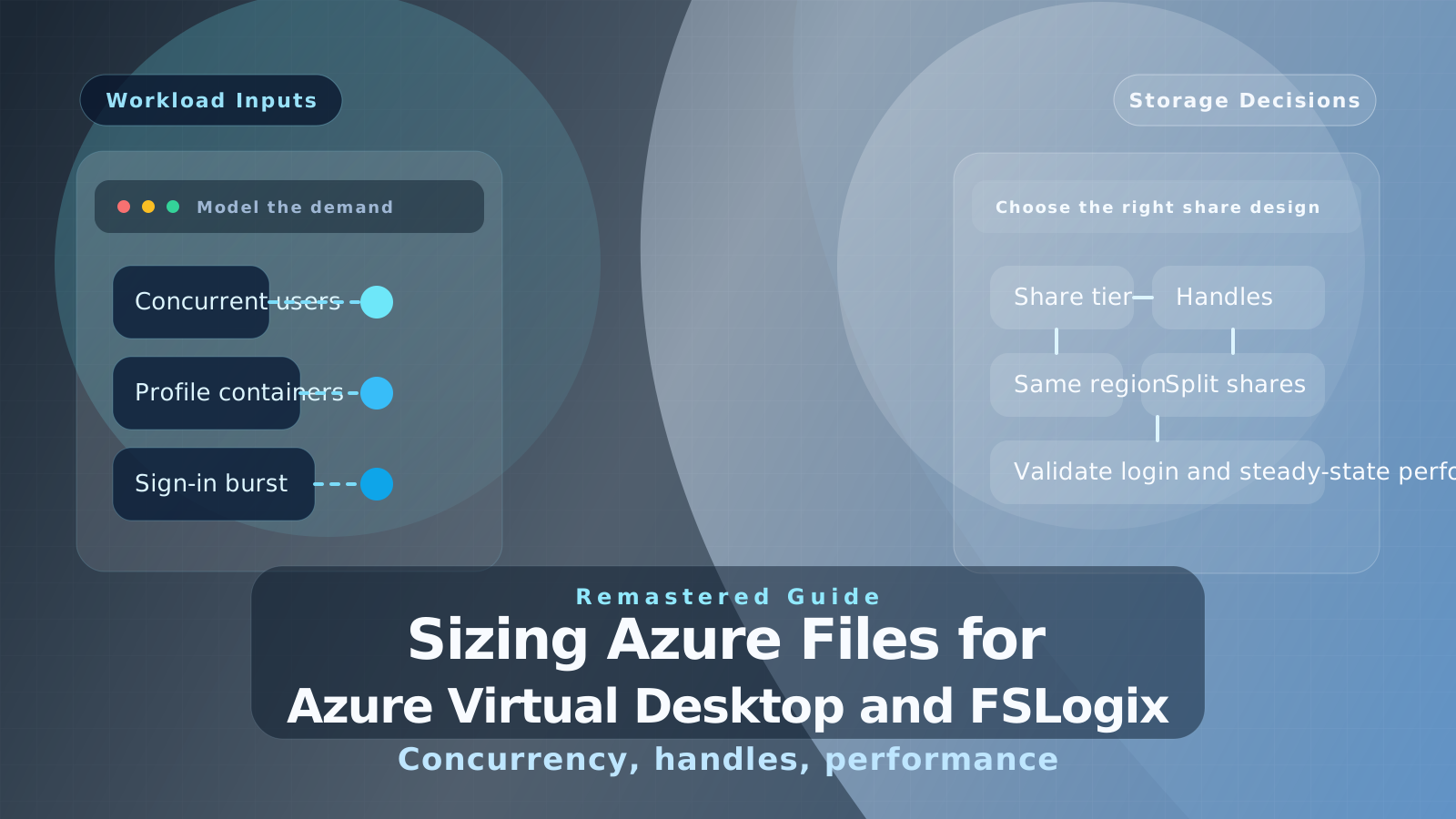
A remastered guide to sizing Azure Files for Azure Virtual Desktop and FSLogix, using current Microsoft guidance around concurrency, handles, storage tier, and login performance.
This post originally pointed to a simple spreadsheet calculator for sizing Azure Files for FSLogix on Windows Virtual Desktop.
The core idea was right: profile storage has to be sized for concurrency and performance, not just capacity.
What has improved since then is the official guidance. Microsoft now documents Azure Files sizing for virtual desktop workloads much more clearly, which means this article can move beyond a one-off spreadsheet and explain the architecture decisions that actually matter.
The sizing question has changed
In 2020, many teams were still asking a fairly simple question:
How large does my Azure file share need to be so sign-in and sign-out do not fall over?
That is still part of the answer, but it is no longer enough on its own.
For Azure Virtual Desktop, you now need to think about:
- peak concurrent users, not just total assigned users
- whether you use FSLogix profile containers only, or separate Office containers as well
- the chosen Azure Files tier and billing model
- file and directory handle limits
- whether login storms and metadata-heavy activity dominate the workload
- whether the storage sits in the same region as the session hosts
In other words, “how many terabytes?” is the wrong first question. The better first question is “what does this workload do during sign-in, steady state, and peak concurrency?”
Why Azure Files still makes sense
Azure Files remains one of the best default choices for Azure Virtual Desktop because it is fully managed, integrates cleanly with FSLogix, and avoids the overhead of building and operating your own file services.
It is not the only option. Azure NetApp Files is still a strong fit for larger or more demanding environments. But for many general-purpose AVD deployments, Azure Files provides the right balance of simplicity, availability, and performance if it is sized correctly.
Start with concurrency
The original calculator focused on concurrent users, and that part still holds up well.
That is because FSLogix profile containers are not a pure storage-capacity problem. They are a concurrency problem:
- how many users sign in at once
- how much metadata activity happens during sign-in
- how many handles are consumed per profile
- how much steady-state IOPS the users generate once they are in session
If you size only for total storage consumed by profiles, you can still end up with a poor sign-in experience, slow profile attach times, or file-share contention.
The current Azure Files guidance for FSLogix
Microsoft’s current guidance is more explicit than the older rule-of-thumb approach.
For FSLogix profile containers on Azure Files:
- each user typically consumes a small number of handles
- a single share can support large numbers of concurrent users when designed properly
- the real design pressure often shows up in handle limits, metadata behavior, and login bursts, not just raw storage size
Microsoft now frames the recommendations like this for FSLogix workloads:
- Under 2,000 concurrent users: HDD pay-as-you-go or provisioned v2 shares can be acceptable for lighter workloads
- 2,000 to 5,000 users: move toward SSD shares, often with metadata caching
- 5,000 to 10,000 users: distribute the workload across multiple SSD shares
- More than 10,000 users: use multiple SSD shares and the newer metadata and handle-limit options where appropriate
That is a much better way to think about the problem than “pick a size and hope the IOPS scale with it.”
Keep the storage close to the session hosts
One of the most useful updates in Microsoft’s guidance is the emphasis on placement.
For Azure Virtual Desktop, Azure Files should generally be:
- in the same Azure region as the session hosts
- configured with the right identity and permissions model
- tested under real sign-in and steady-state conditions
If the storage sits far away from the session hosts, latency becomes part of the user experience very quickly. A share that looks fine on paper can still feel slow in practice if placement is wrong.
Historical example: why spreadsheets were useful
The old calculator was helpful because it forced people to separate two different workload shapes:
- steady-state user activity during a normal session
- burstable sign-in and sign-out demand
That distinction is still useful.
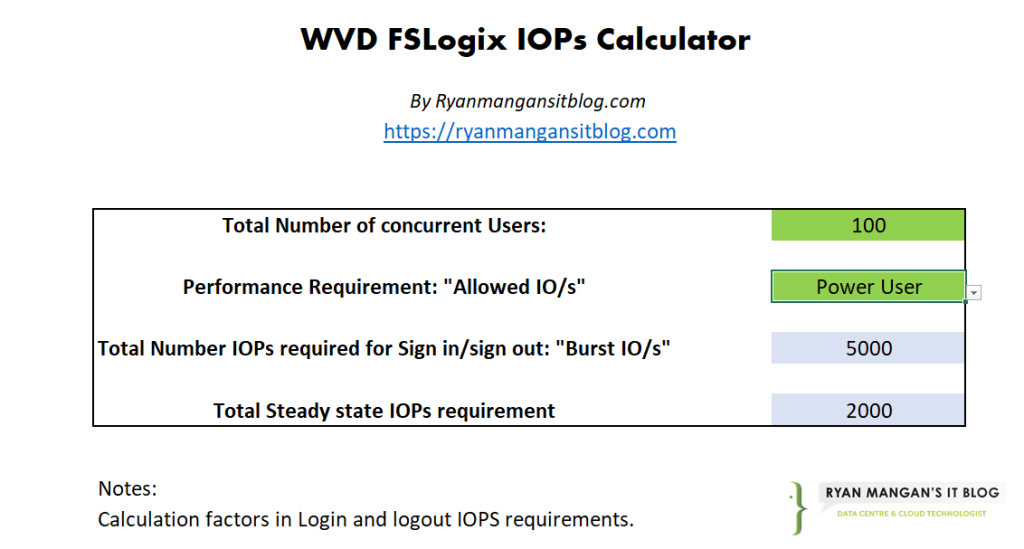
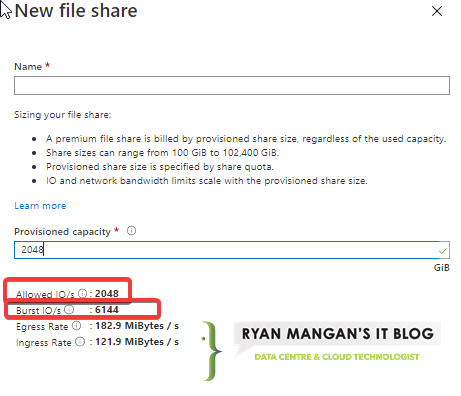
The part I would change now is the conclusion. The spreadsheet should be treated as a directional estimator, not the final authority. Today you have better official guidance, better platform limits documentation, and better performance telemetry than we had when the original post was written.
What I would validate in a real design
If I were sizing Azure Files for a new AVD deployment today, I would validate these inputs first:
- Peak concurrent users per host pool.
- User persona mix: light, medium, or heavy.
- Whether profiles are single-container FSLogix or split with Office data handled separately.
- Expected login burst behavior at the start of the day.
- The selected Azure Files tier and whether SSD is justified.
- Whether the design needs Azure NetApp Files instead.
After that, I would test the environment under controlled load and monitor the outcome, rather than assuming the first number in a spreadsheet is the right answer.
When Azure NetApp Files becomes more attractive
Azure Files is a strong default, but the more demanding the workload becomes, the more sensible it is to compare it against Azure NetApp Files.
That comparison becomes especially relevant when:
- login storms are heavy and frequent
- latency sensitivity is high
- the deployment is large enough that multiple shares are already required
- you need stronger headroom for profile performance
The right answer is not always “leave Azure Files.” It is “stop assuming one share and one estimate are enough.”
My recommendation now
The old calculator represented the right instinct: treat profile storage as an architectural dependency, not an afterthought.
The remastered version of that advice is:
- size for concurrency
- validate login and steady-state behavior separately
- choose the correct share tier
- keep storage close to the hosts
- scale out across more shares before you hit limits
If you still have your own spreadsheet or calculator, that is fine. Use it as a planning aid. Just do not let it replace real platform guidance or performance validation.