Skip to content

Creating a Remote Desktop Session Collection RDS 2012

Technical Article

Creating and configuring a remote desktop Session collection for Remote Desktop Services
Categories
Microsoft
Tags
Create A CollectionRds 2012Remote Desktop Services 2012

In this post, I will be showing you how to create a Remote Desktop Session Collection. Before you are able to create a Desktop Session connection you will need to have installed the Remote Desktop Services Roles as shown in the previous post on deploying an RDS 2012 single-server session-based deployment.
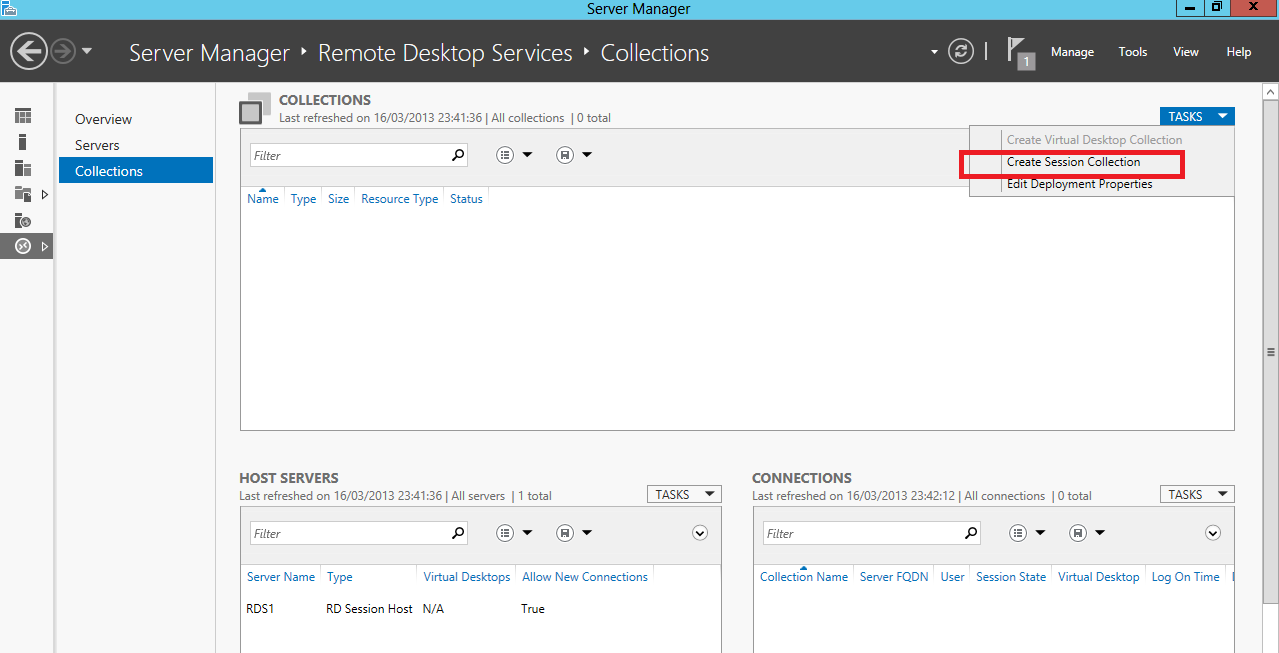
Creating a Remote Desktop Session Collection RDS 2012

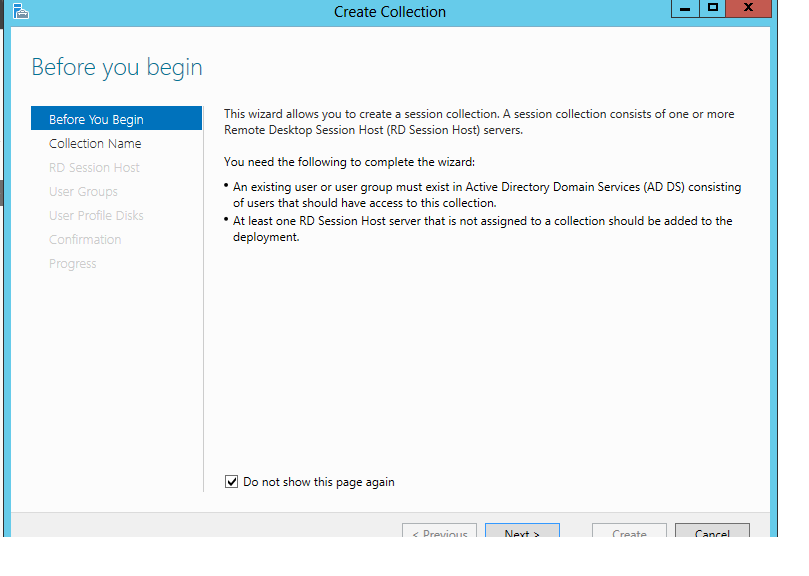
Tasks > Create Session Collection

Creating a Remote Desktop Session Collection RDS 2012 (screenshot 2)

Creating a Remote Desktop Session Collection RDS 2012 (screenshot 3)

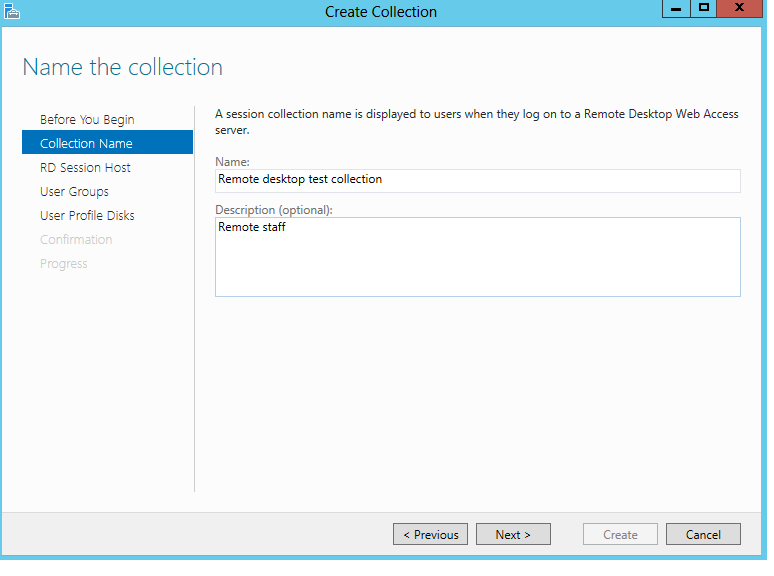
Enter collection name and descripton.
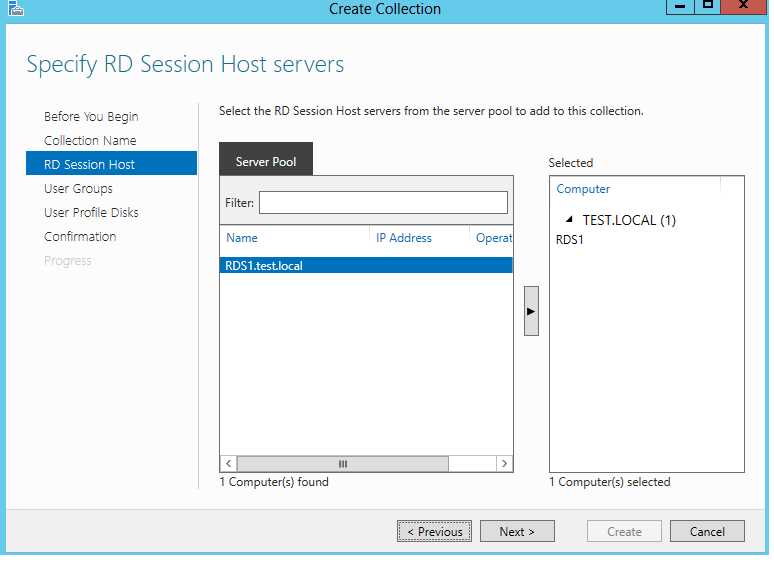
Creating a Remote Desktop Session Collection RDS 2012 (screenshot 4)

Add the Session Host servers to the collection.
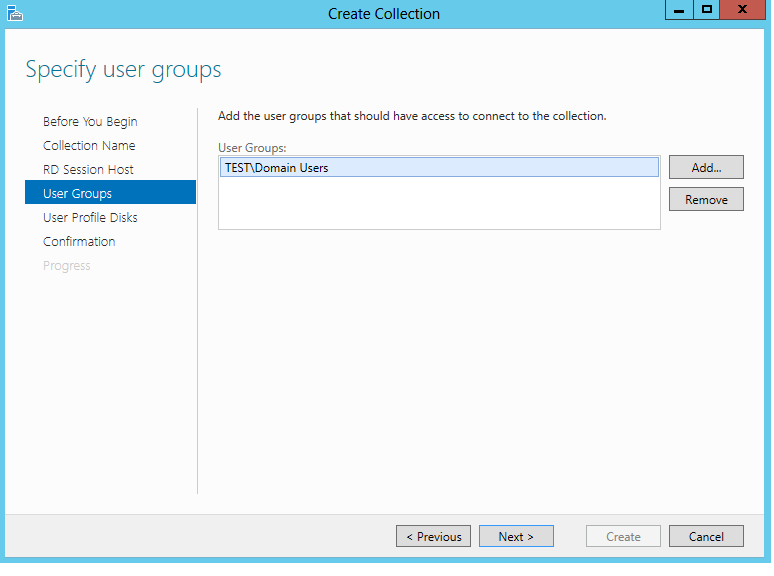
Creating a Remote Desktop Session Collection RDS 2012 (screenshot 5)

specify the user group that require access.
Creating a Remote Desktop Session Collection RDS 2012 (screenshot 6)

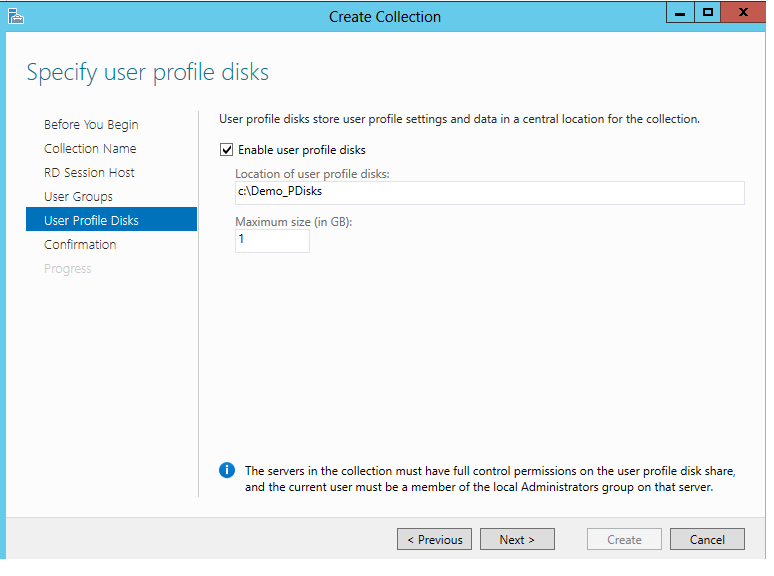
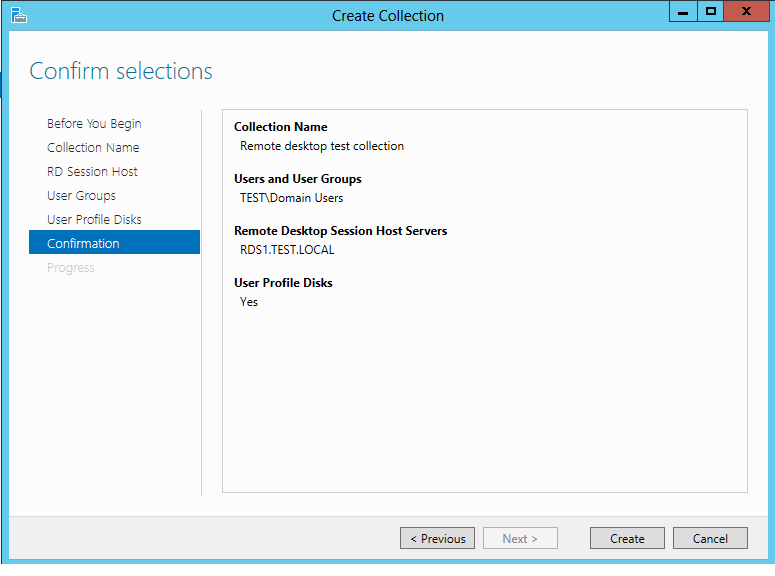
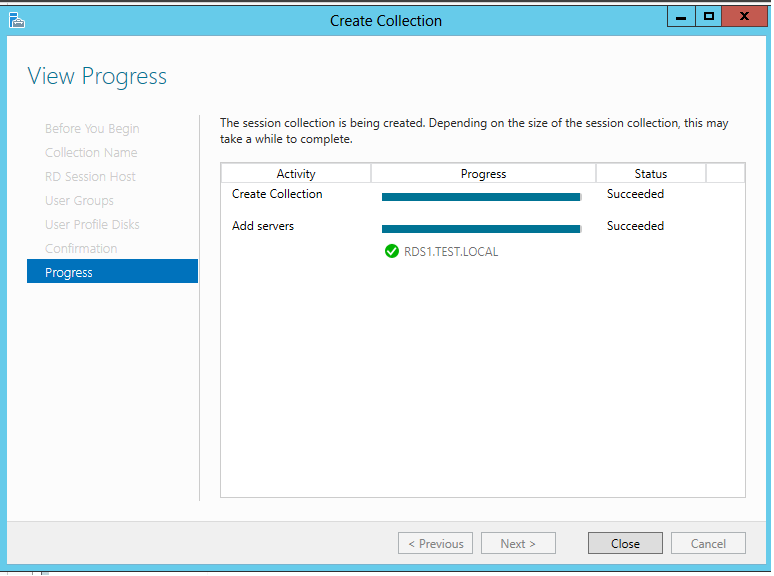
Specify a location for the profile disks and Maximum size, if you are wanting to use UPD's. In this demonstration I will be using a local directory, but for production environments i would recommended to use a file share.
Creating a Remote Desktop Session Collection RDS 2012 (screenshot 7)

Creating a Remote Desktop Session Collection RDS 2012 (screenshot 8)

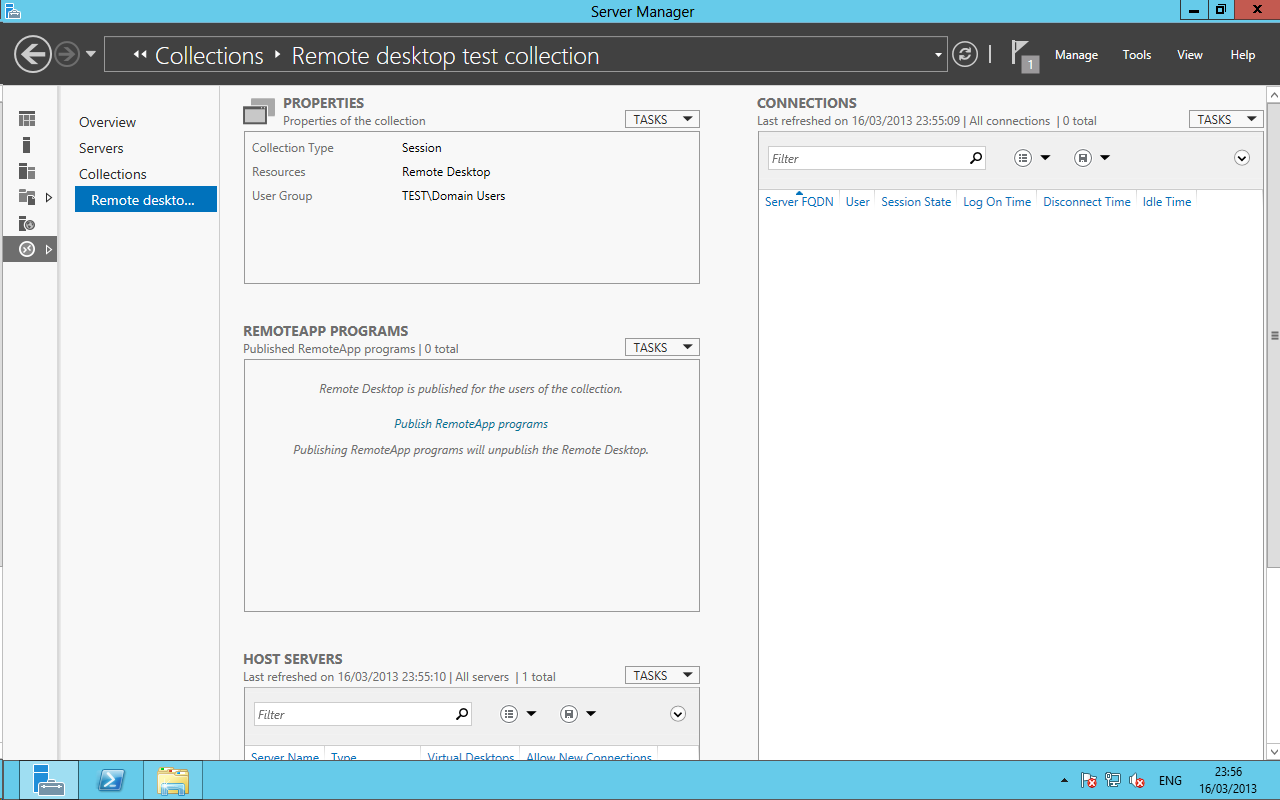
Creating a Remote Desktop Session Collection RDS 2012 (screenshot 9)

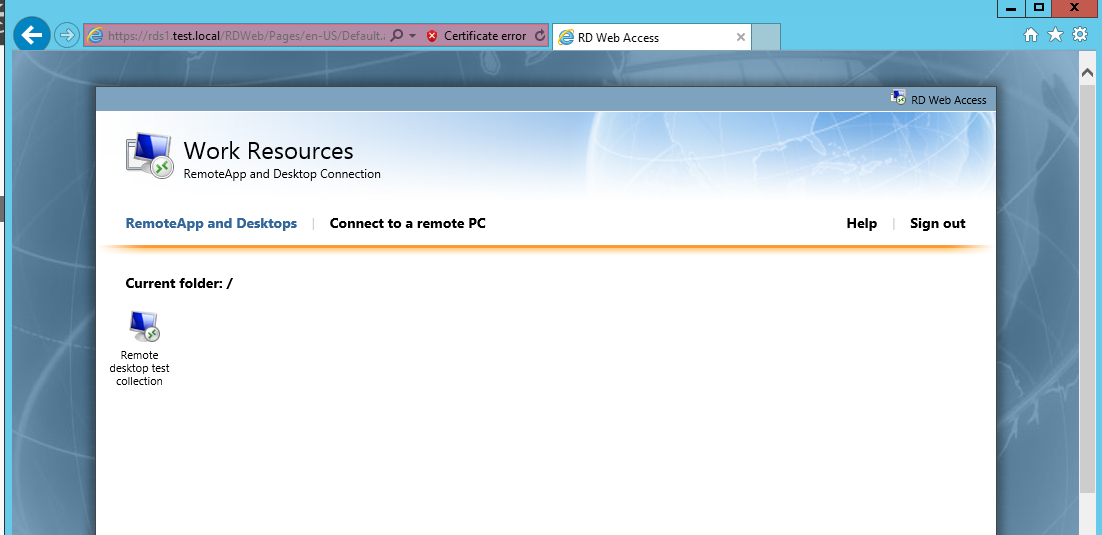
Creating a Remote Desktop Session Collection RDS 2012 (screenshot 10)