How to enable the disk counters in Task Manager on Windows Server 2012, which are turned off by default and need diskperf to switch on.
Categories
MicrosoftWindows Server 2012
Tags
2012Default DiskDisk PerformanceDiskperfPerformance ImplicationsServer 2012 R2Sever 2012Task Manager

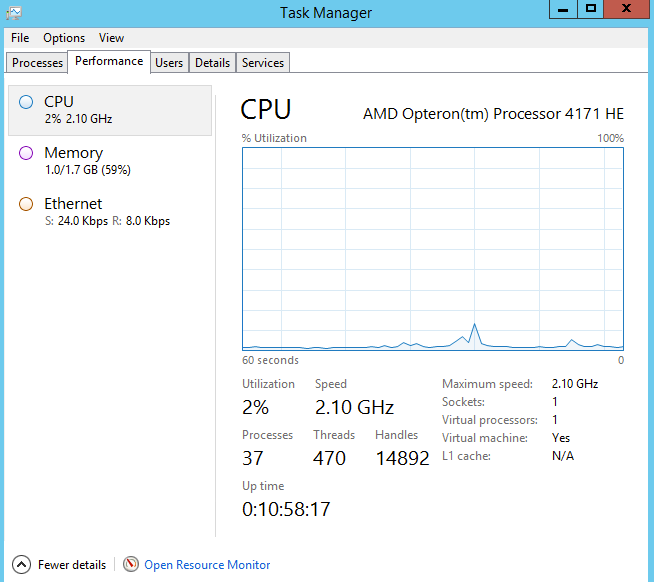
By default Disk metrics in Task Manager are not monitored on Server 2012 due to performance implications. Monitoring Disk Metrics is a useful when troubleshooting issues.
Task Manager (Default Settings)
To enable Task Manager's Disk Counter:
Open PowerShell and use the following cmd DiskPerf
To enable DiskPerf you will need to use the Switch DiskPerf -Y (Yes)

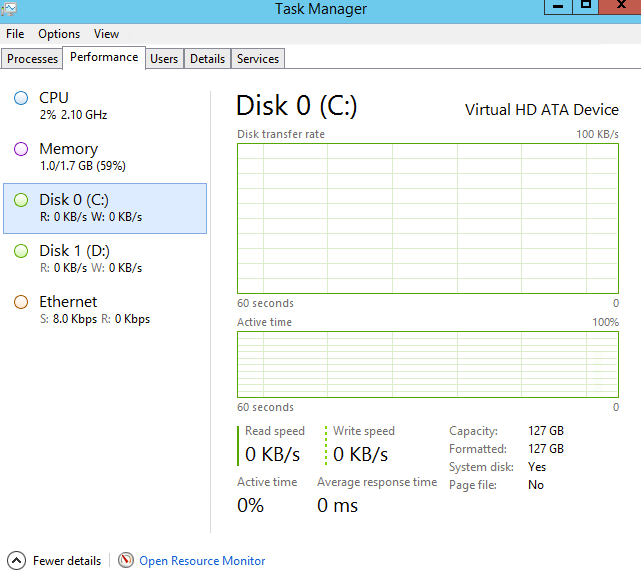
To disable DiskPerf, Use DiskPerf -N (No)