This blog post will show you how to deploy RDS on a Domain Controller, I have received a lot of messages over the past months on this saying that it's not...
This blog post will show you how to deploy RDS on a Domain Controller, I have received a lot of messages over the past months on this saying that it's not possible. Firstly I would personally never recommend deploying RDS on a domain controller as there are a number of security risks and best practices that get thrown out of the window.
The first thing I have done is deploy a Domain Controller:
I have spun up a Virtual Machine, installed Active Directory and then promoted it to a Domain Controller. Domain being the same as the blog site - Ryanmangansitblog.com
Go to Server Manager Select Add roles and Features, then select Remote Desktop Services Installation.
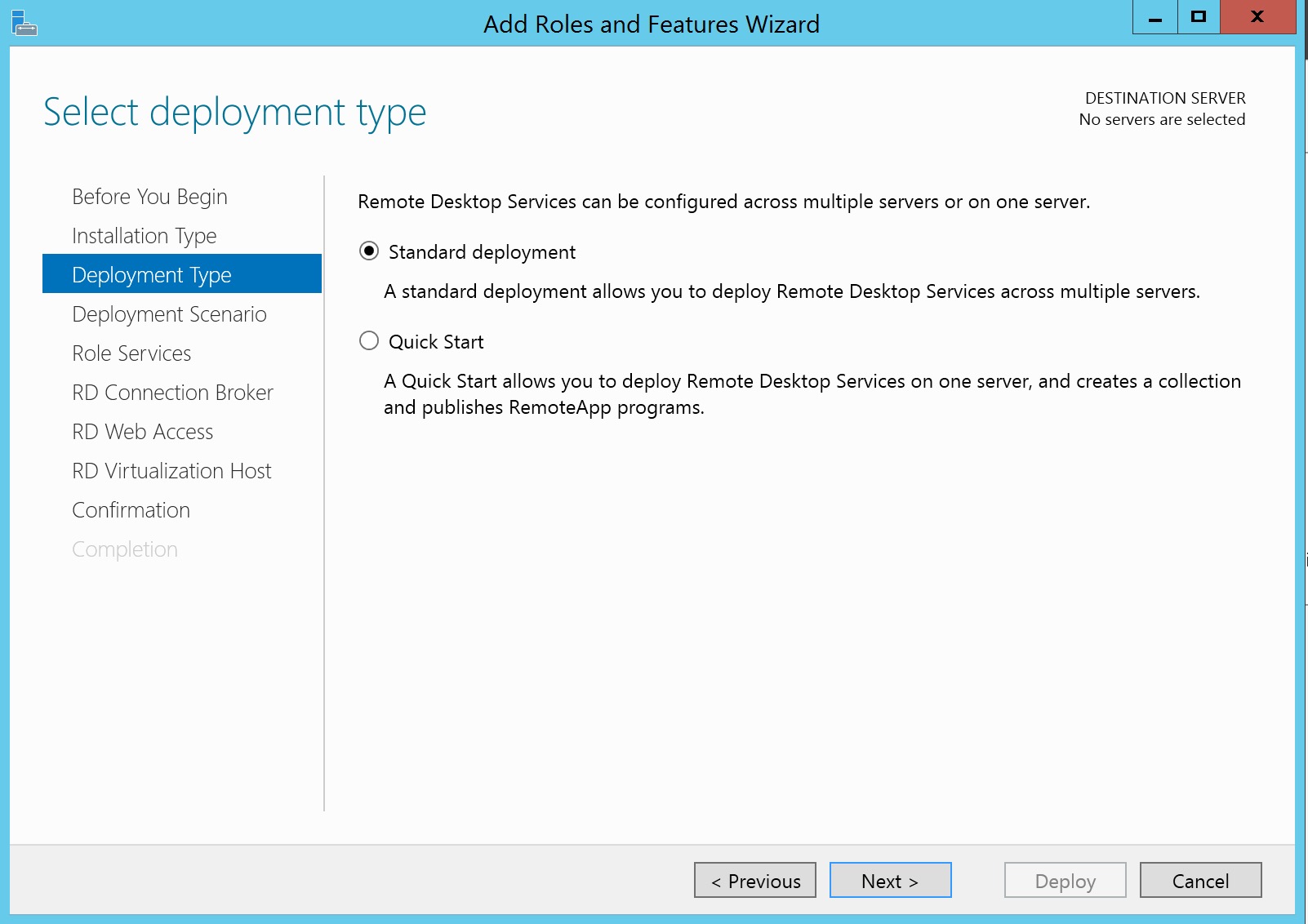
Select the Standard Deployment option
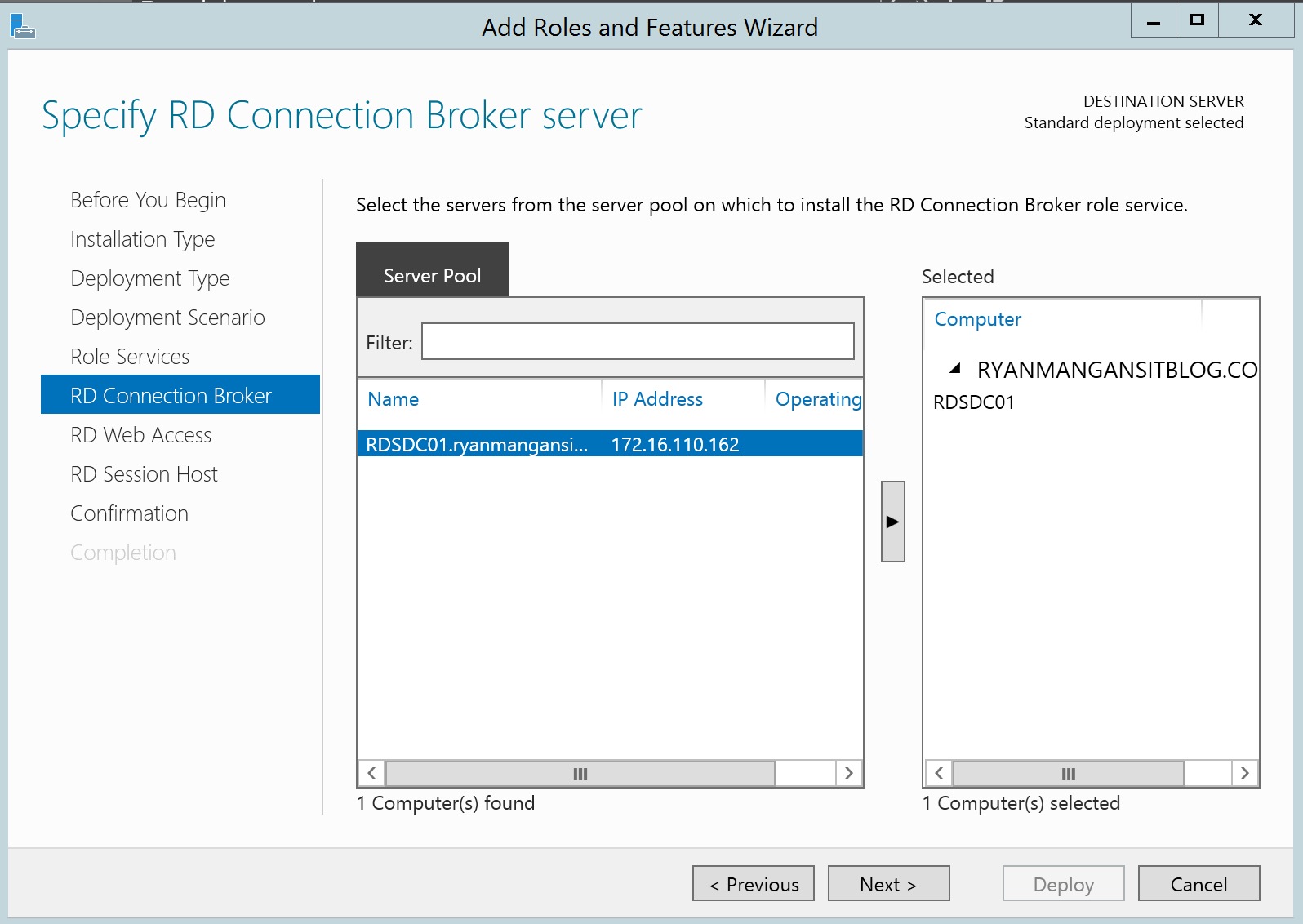
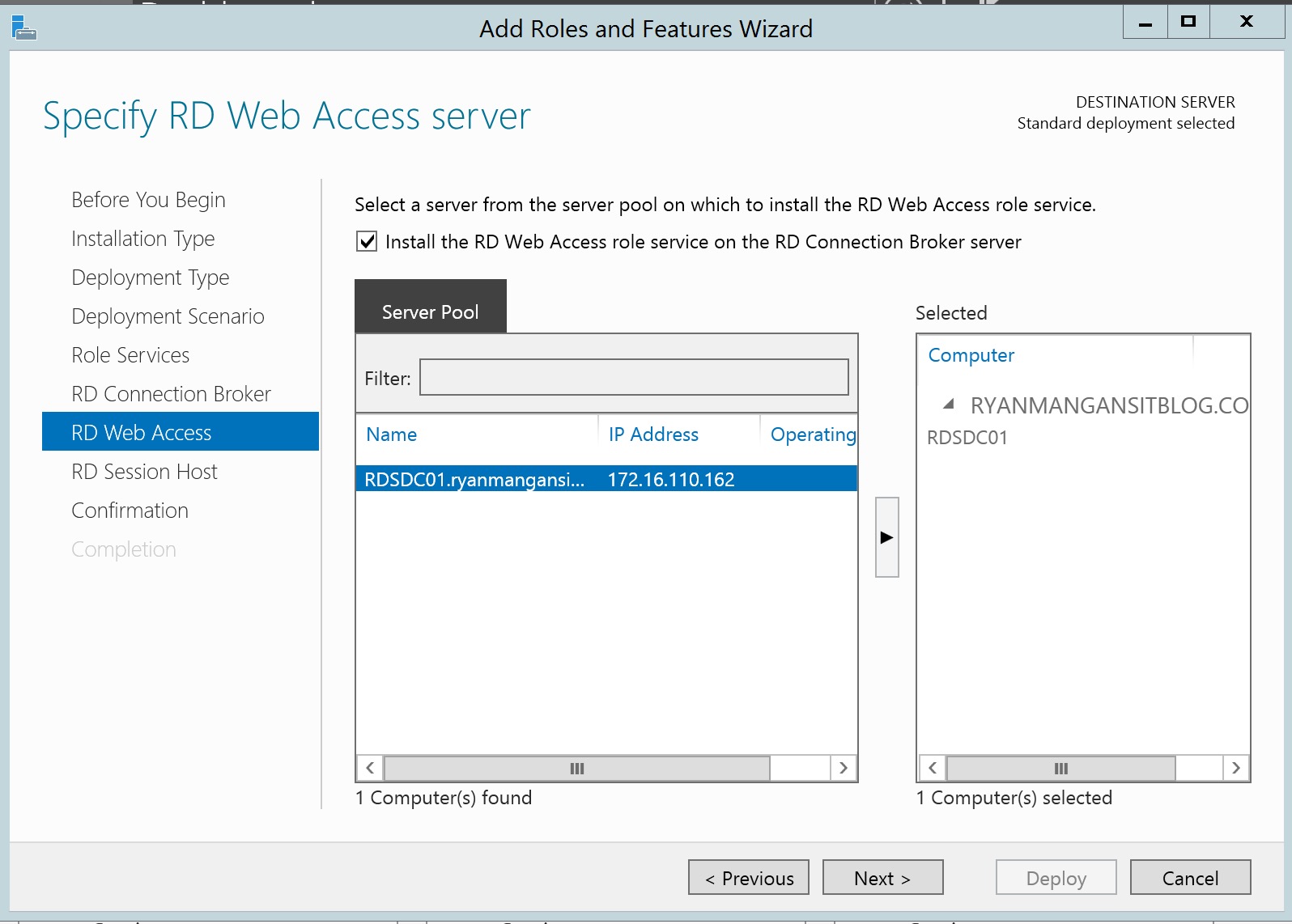
Select the Domain Controller for all services, RD Connection Broker, RD Web Access, and RD Session Host.
Once you have confirmed and selected Restart. RDS will then start to install.
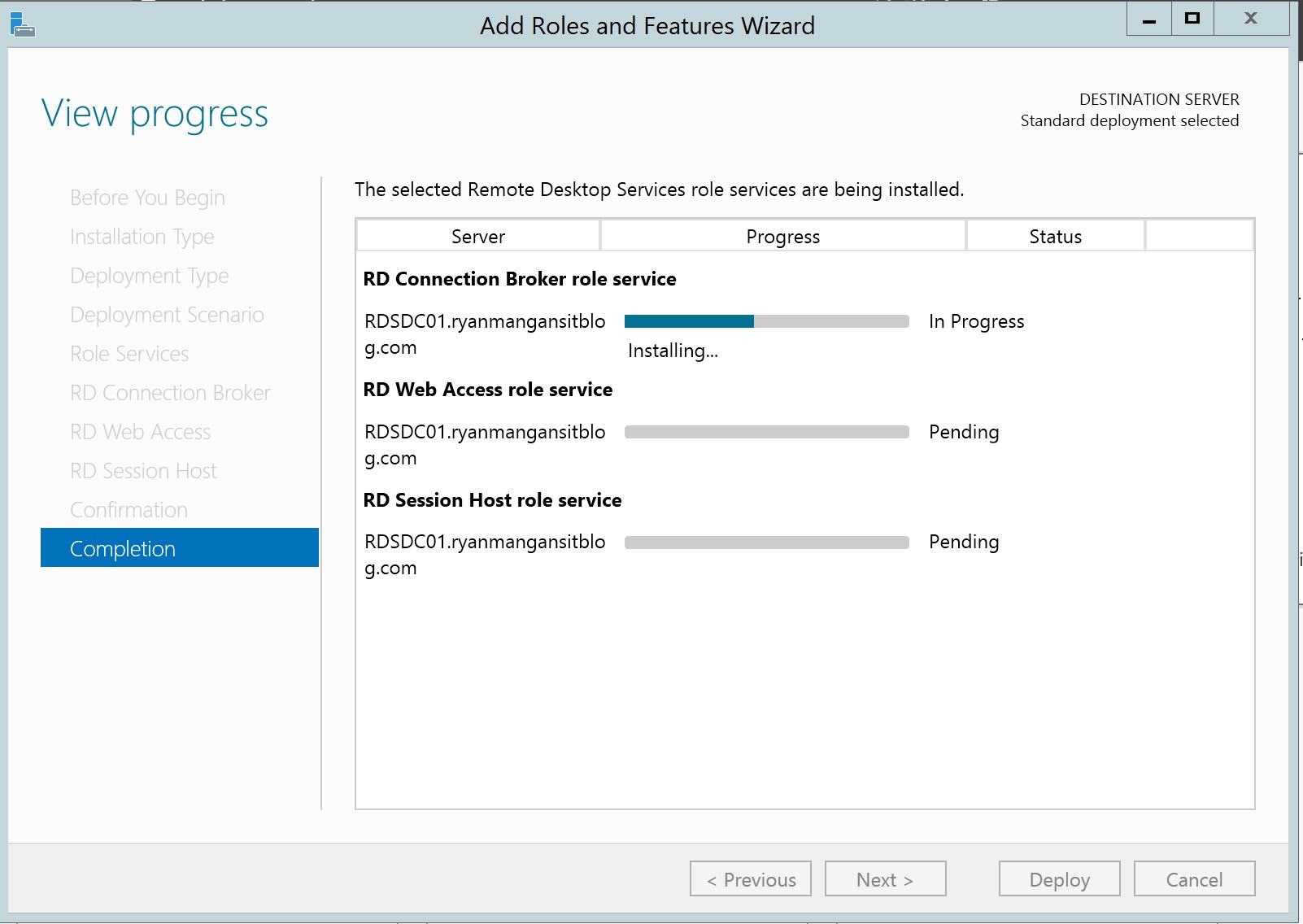
The installation will Fail............ But wait don't panic, everything still works !!! I will explain. The Connection Broker installs, but the RD Web and Session Host fails. Running the install process again, will resolve the issue.
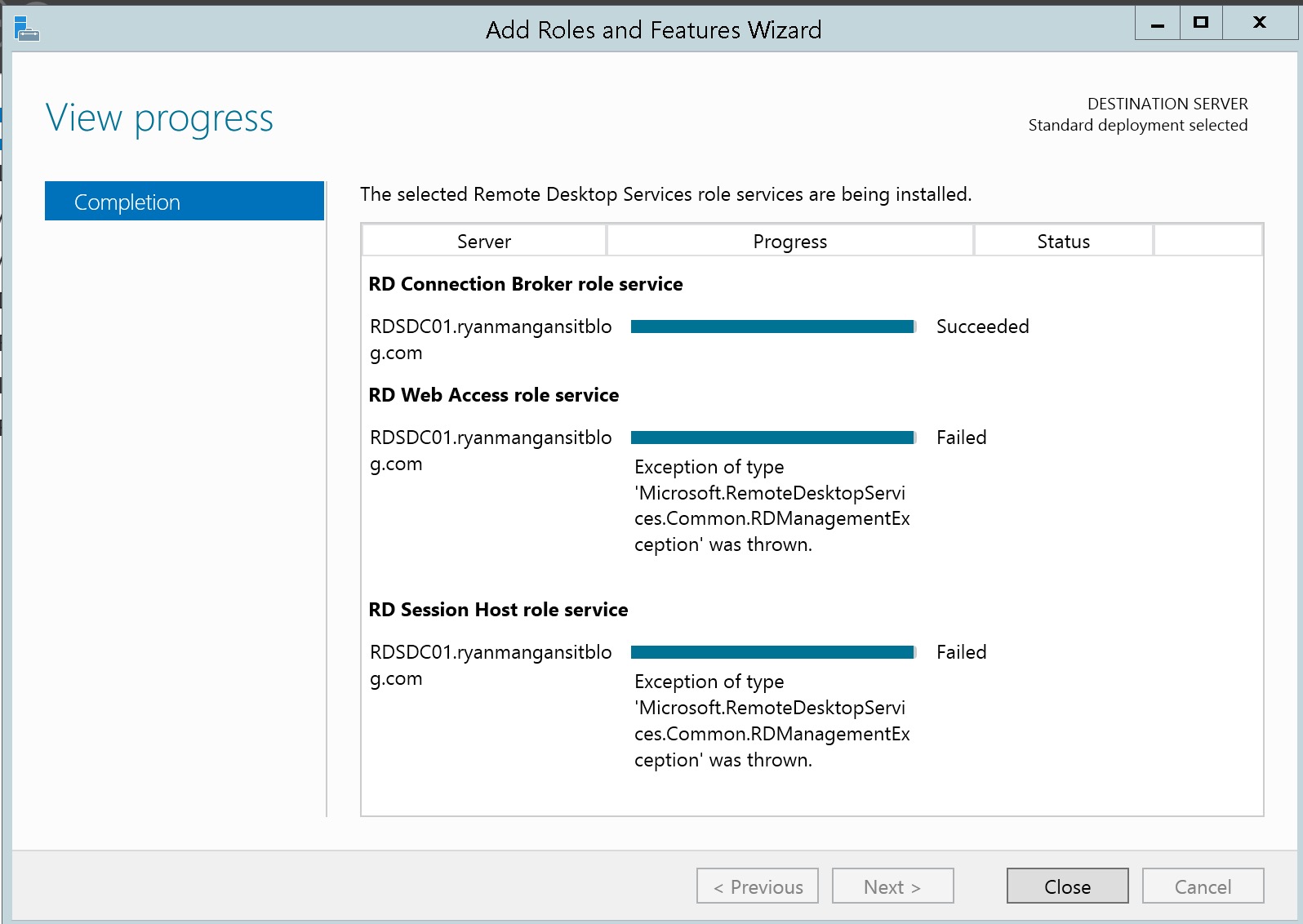
Close the window.
Start the process again ....
This time you will see The RD Connection Broker with the Domain Controller name:
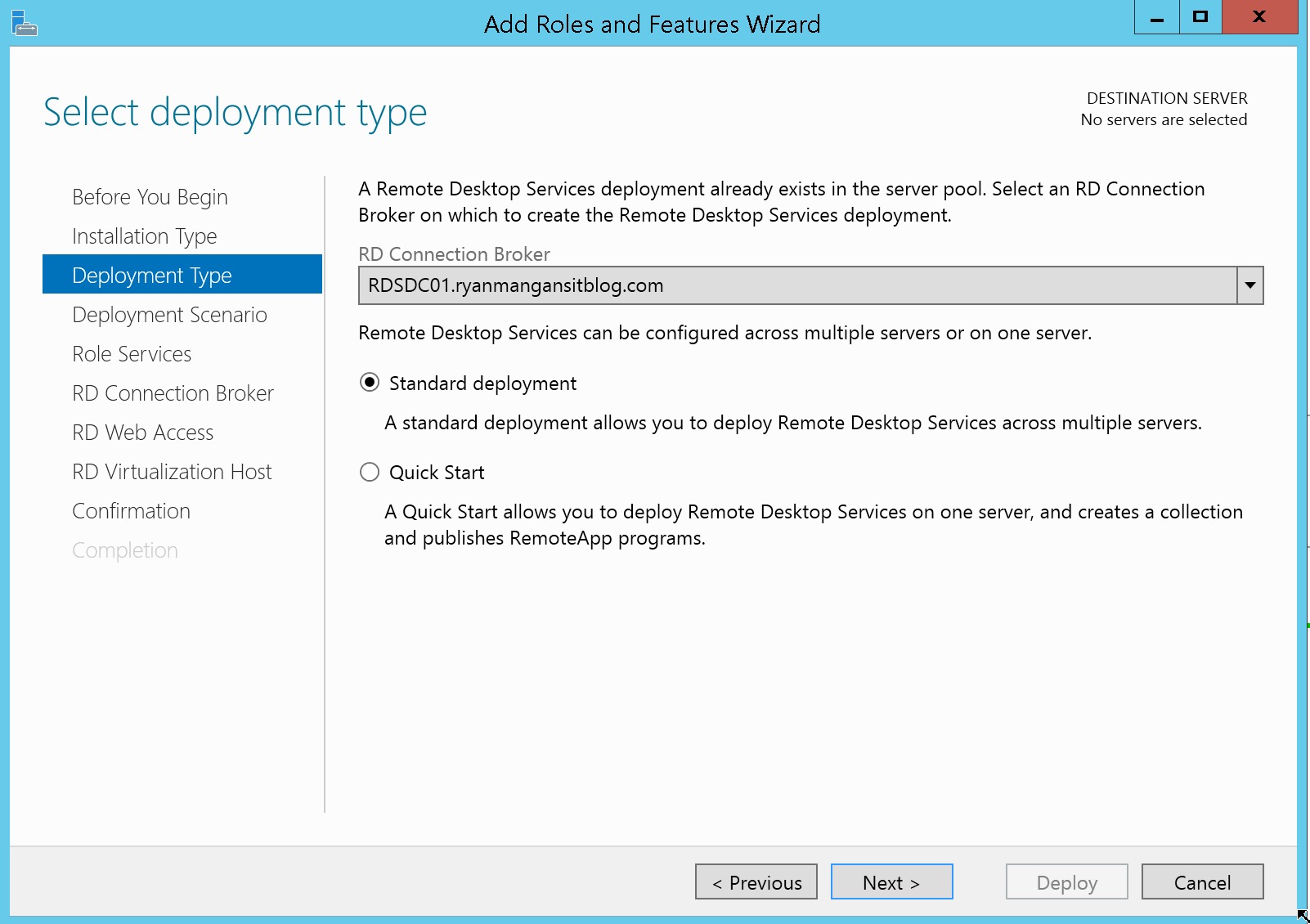
Continue all the way to completion:
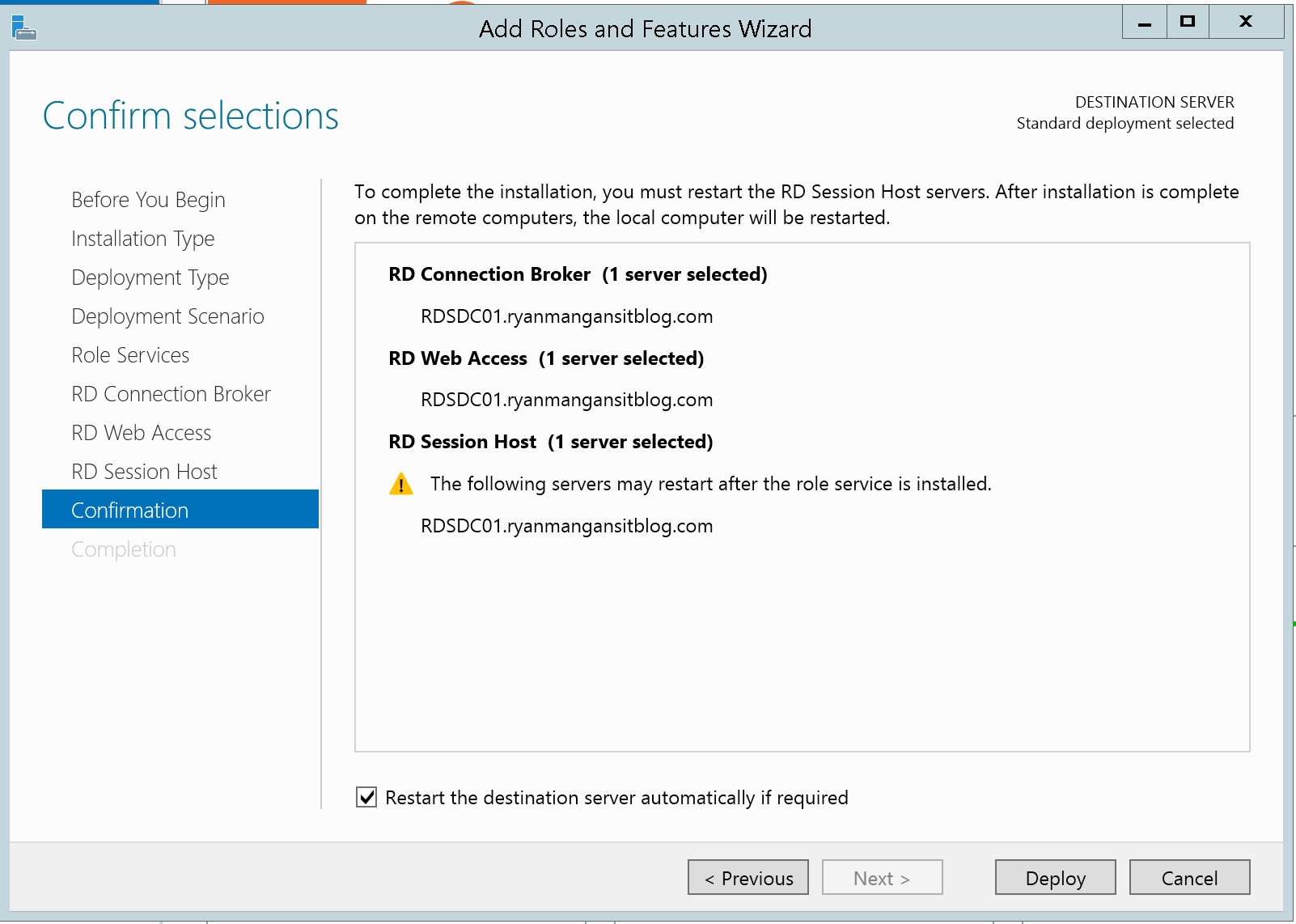
Once your happy, Click Deploy......
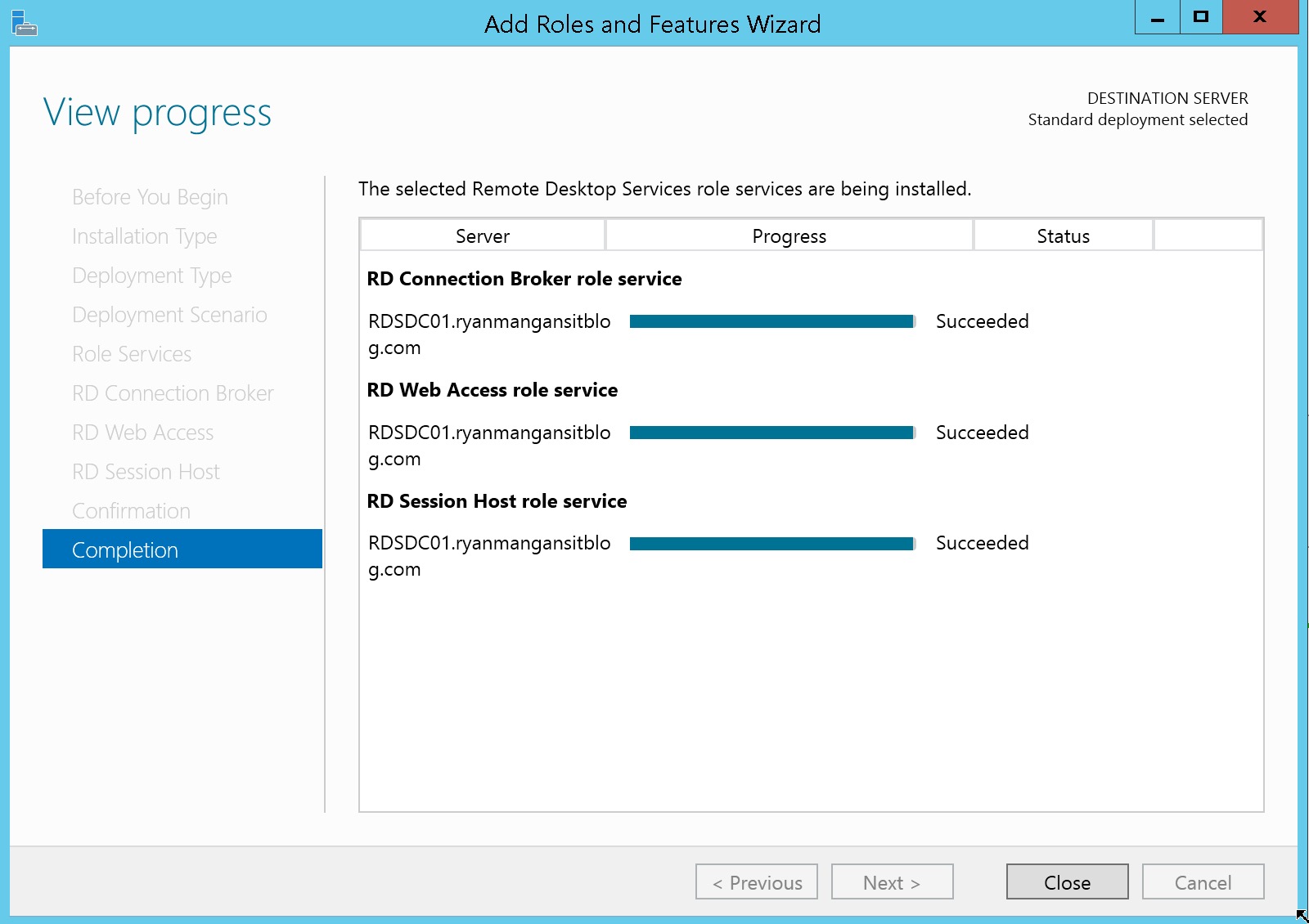
There you have it ..... The Domain Controller now has the Connection Broker, Web Access and Session Host roles.
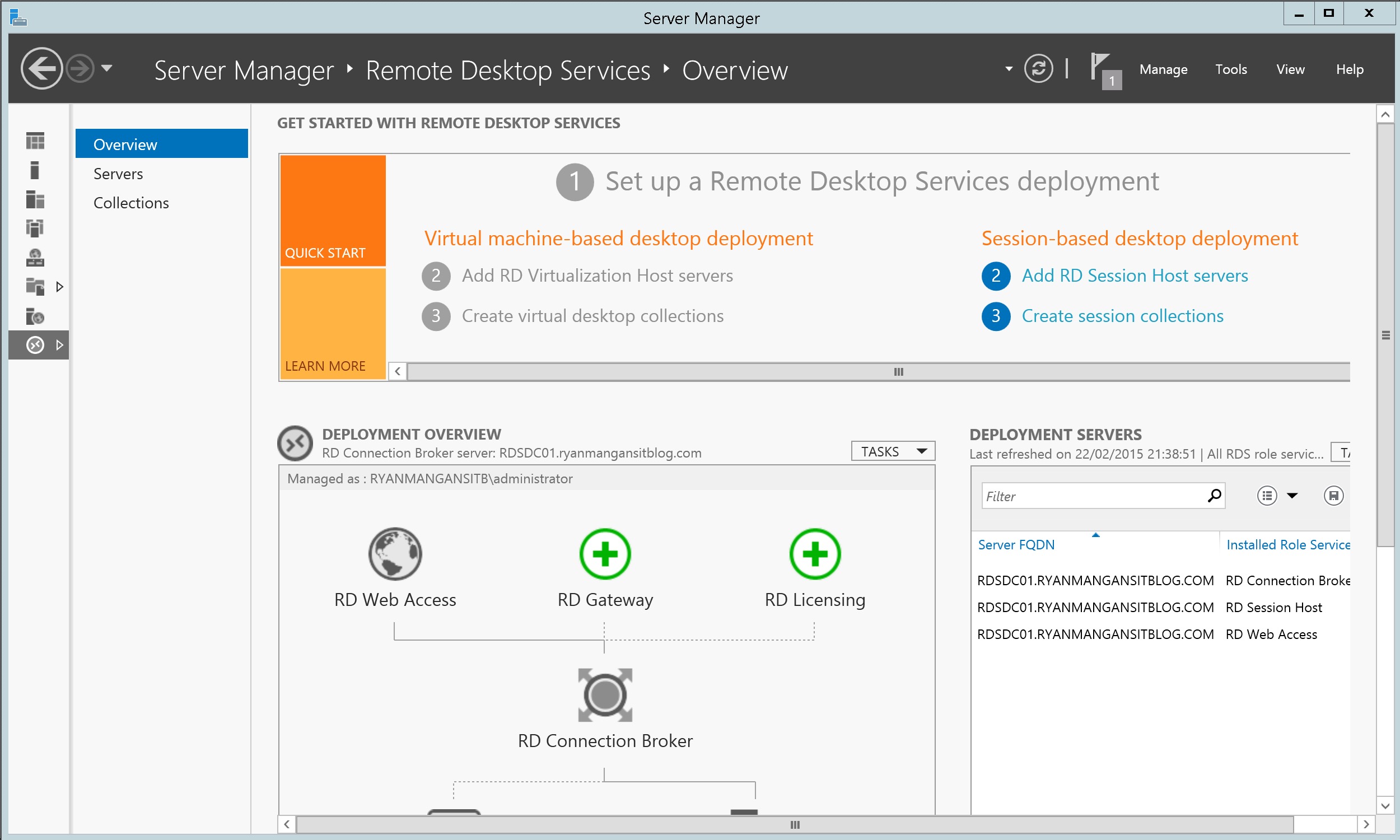
The Other way:
Use the add roles and features wizard, select Remote Desktop Services, Roles Services and then Tick Remote Desktop Connection Broker
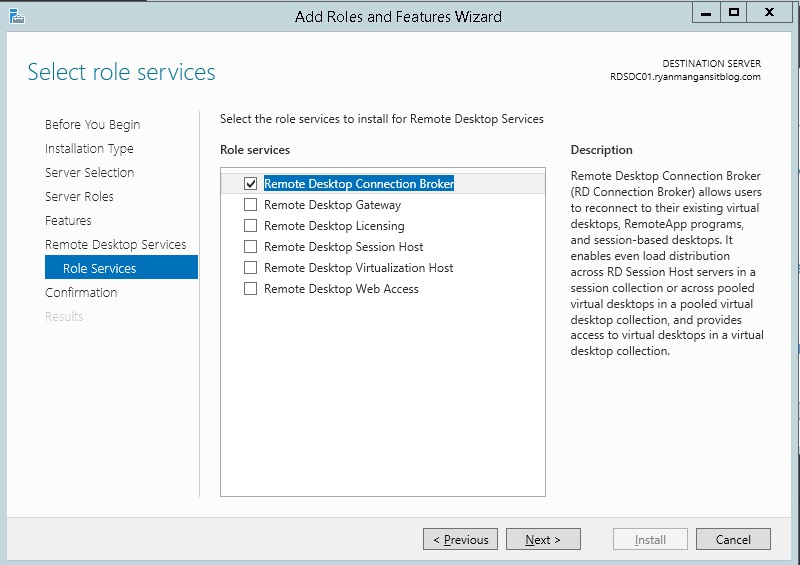
Install the RDCB role. Then start a RDS installation and you will see the connection broker role present.
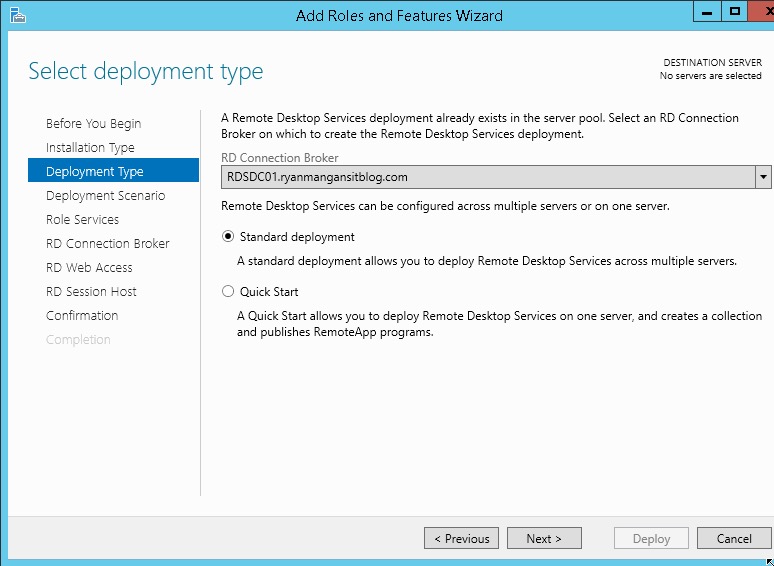
Follow the same process as before..
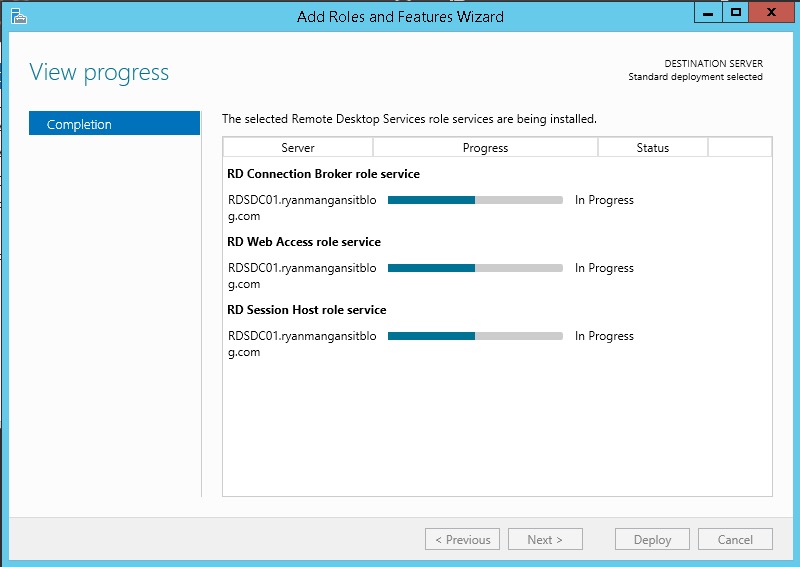
As you can see the install will not fail.
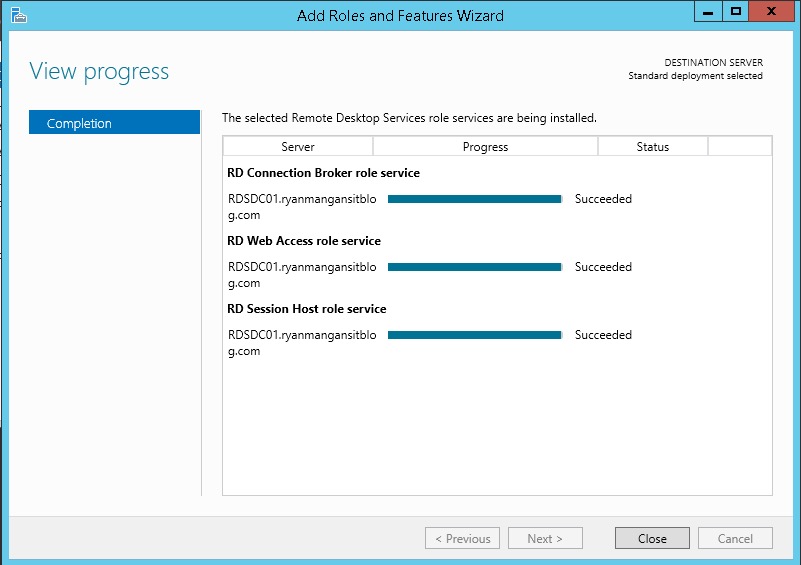
I hope this helps.... and answers everyone's question ! You can deploy RDS on a Domain Controller.
For more information please see the following Links:
Remote Desktop Services role cannot co-exist with AD DS role on Windows Server 2012