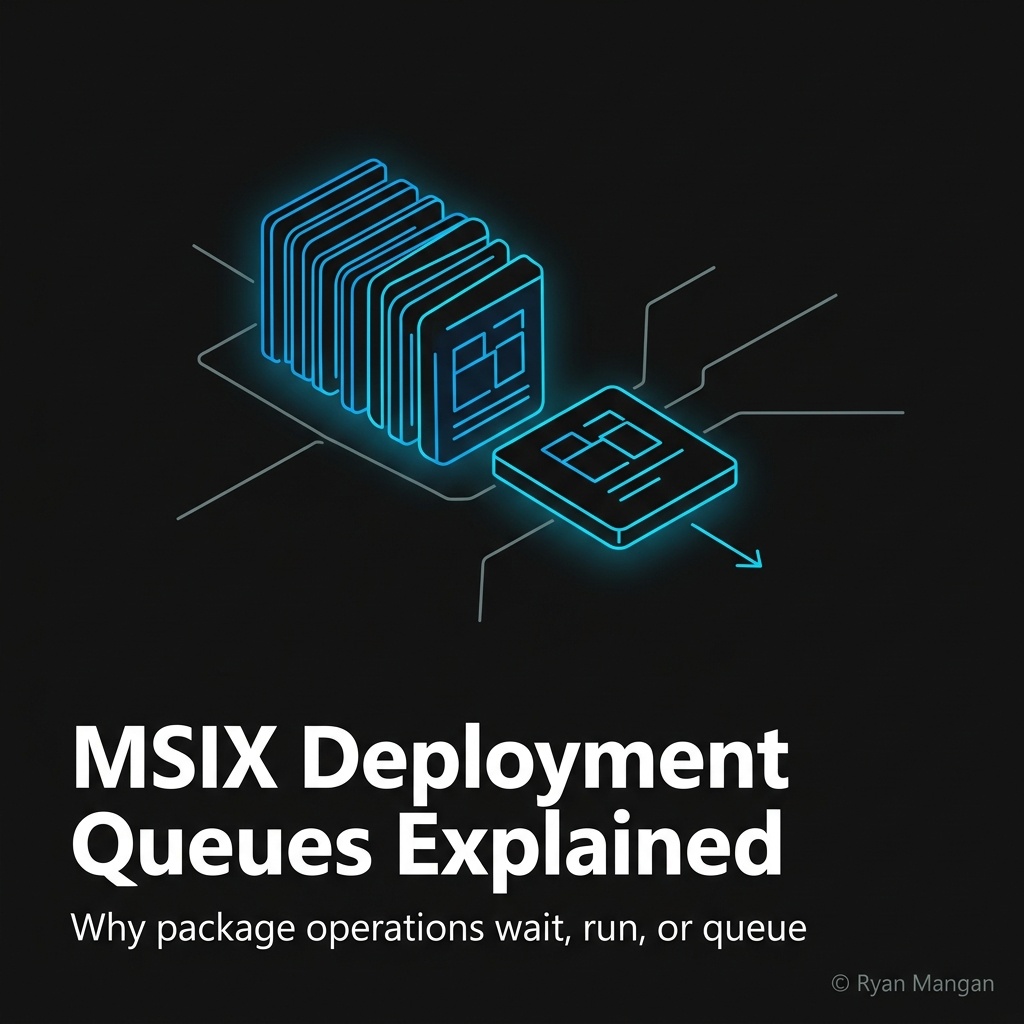
MSIX deployment is request-driven: Windows turns package actions into operations, queues them, and applies concurrency rules to protect package state.
Microsoft published a useful Inside MSIX post on May 27, 2026: Deployment Operations, Requests and Queue, written by Howard Kapustein, Principal Software Engineer.
The post explains what happens behind the scenes when the Windows package deployment platform receives work from a PackageManager API. This article translates that deployment model into practical terms for packaging engineers, EUC architects, Intune administrators, ConfigMgr teams, and anyone who has stared at an AppX deployment log wondering why something waited instead of running immediately.
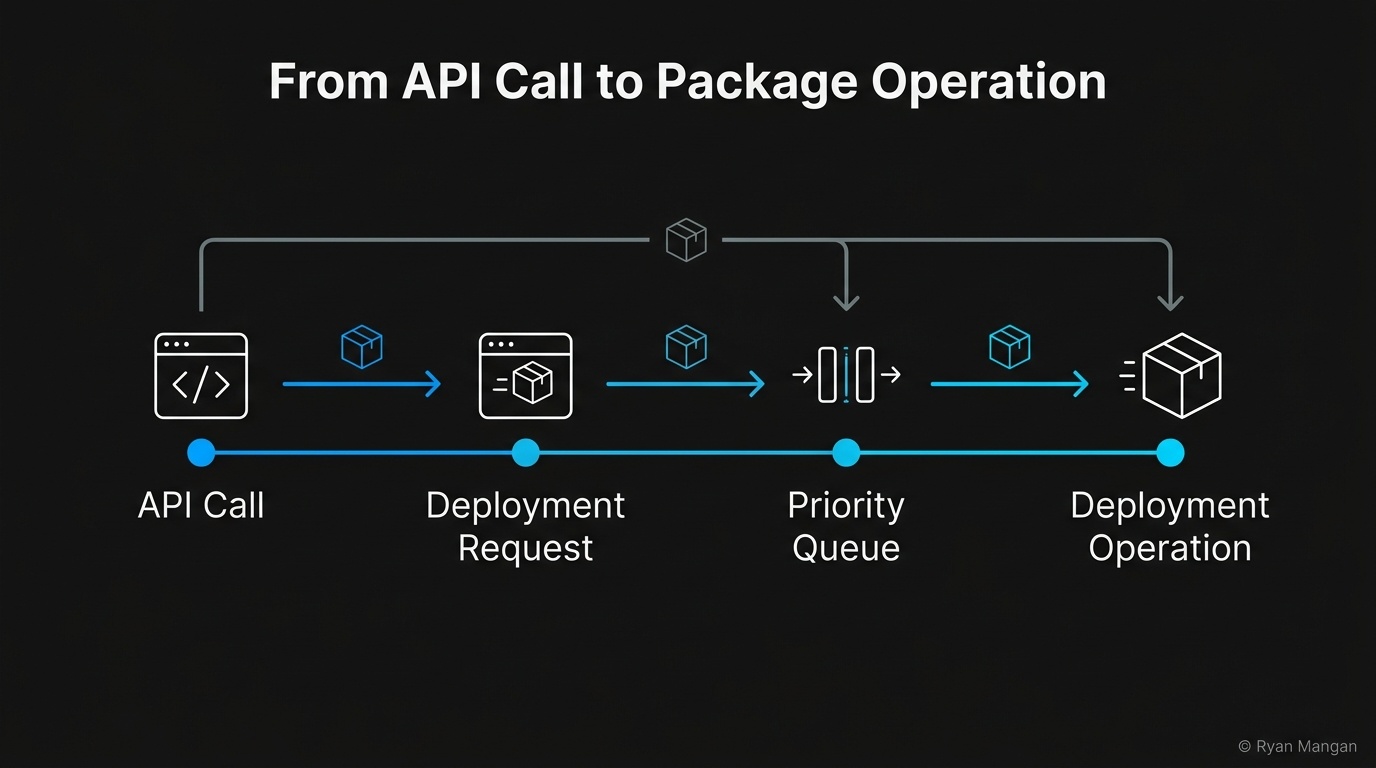
The operating model is:
- The tool or API submits a deployment request.
- Windows maps that request to a deployment operation.
- The request goes into a priority queue.
- The deployment engine runs it when package state and concurrency rules allow it.
That queue is not a problem. It is how Windows protects package consistency.
What is a deployment operation?
A deployment operation is the actual package job Windows performs.
Examples include:
- Add Package
- Stage Package
- Register Package
- Remove Package
- Provision Package
- Deprovision Package
- Move Package
- Repair Package
- Reset Package
- Add Volume
- Remove Volume
In plain English, the API call or management tool is the trigger. The deployment operation is the work Windows decides it needs to carry out.
For example, Microsoft's Inside MSIX post explains that PackageManager.MovePackageToVolumeAsync() submits a request that performs a Move Package operation. The method name is usually a good clue, but it is not always a one-to-one mapping. Microsoft also gives the example that PackageManager.StagePackageAsync() and PackageManager.StagePackageByUriAsync() are different API methods, with different parameters, but both can result in a Stage Package operation.
That distinction matters because administrators often think in terms of the command they ran. Windows thinks in terms of the deployment operation it must process.
What is a deployment request?
A deployment request is the unit of work submitted to the deployment engine. According to Microsoft's Inside MSIX post, the request includes the requested deployment operation, input parameters, caller user context, security context, and other operational properties.
That request is added to an in-memory priority queue inside the deployment engine. The deployment engine is multithreaded, so multiple requests can be processed in parallel, but only where Windows decides it is safe.
This explains a common field observation: an MSIX action can be accepted but not start immediately.
For example, if a repair operation is already running for a package, a move request for the same package can still be submitted. Windows can accept the request and place it in the queue, but it will not start the move operation until the repair operation completes. That is controlled sequencing, not random delay.
Why the queue matters
MSIX is designed to make app installation more reliable and manageable. Microsoft Learn describes MSIX as the modern Windows app packaging format, with reliable install and uninstall, automatic updates, package identity, and enterprise deployment support through tools such as Microsoft Intune and Configuration Manager.
Reliable deployment does not mean every operation runs instantly or independently. The deployment engine has to protect package state. It needs to consider the package identity, user context, security context, target volume, dependencies, package payload, and any existing operation already touching the same package.
That is where the queue becomes important.
You may see this in production when:
- A deployment action is accepted but waits before starting.
- A repair, move, update, or uninstall waits behind another operation.
- Multiple deployments run at the same time, but not against the same package state.
- Logs use terms such as stage, register, add, move, repair, or remove instead of the name of the tool that triggered the action.
- Staging work slows down when several packages are being downloaded or extracted at once.
Microsoft's post also notes that concurrency controls can apply to an entire request or to only part of the work. A good example is package staging. An Add Package operation can include staging the package payload, and Windows supports only a limited number of concurrent staging activities. The exact number depends on system configuration, hardware capacity, current activity, and other factors.
For enterprise deployment, that means throughput is not just about network bandwidth. It is also about the deployment engine's scheduling and safety rules.
Stage versus register
Staging and registration are easy to confuse, but Microsoft Learn draws a clear line between them.
PackageManager.StagePackageAsync() stages a package to the system without registering it. The Learn documentation also notes that the stage operation extracts the package payload to %ProgramFiles%\WindowsApps.
PackageManager.RegisterPackageAsync() registers the package and its dependencies for the current user, using the specified deployment options.
The practical distinction is:
- Staging means the package payload is present on the machine.
- Registration means the package is connected to a user context and can be used by that user.
| Stage Package | Register Package | |
|---|---|---|
| What Windows does | Extracts the package payload to %ProgramFiles%\WindowsApps without registering it | Registers the package and its dependencies for the current user |
| API method | PackageManager.StagePackageAsync() | PackageManager.RegisterPackageAsync() |
| PowerShell parameter set | Add-AppxPackage -Stage | Add-AppxPackage -Register |
| Result | Payload is present on the machine | Package is usable by that user |
| Typical scenario | Pre-staging, App Attach, multi-user hosts, provisioning | Per-user availability, repair and re-registration |
| Failure looks like | Package present but not available to the user | Package unavailable despite payload being on disk |
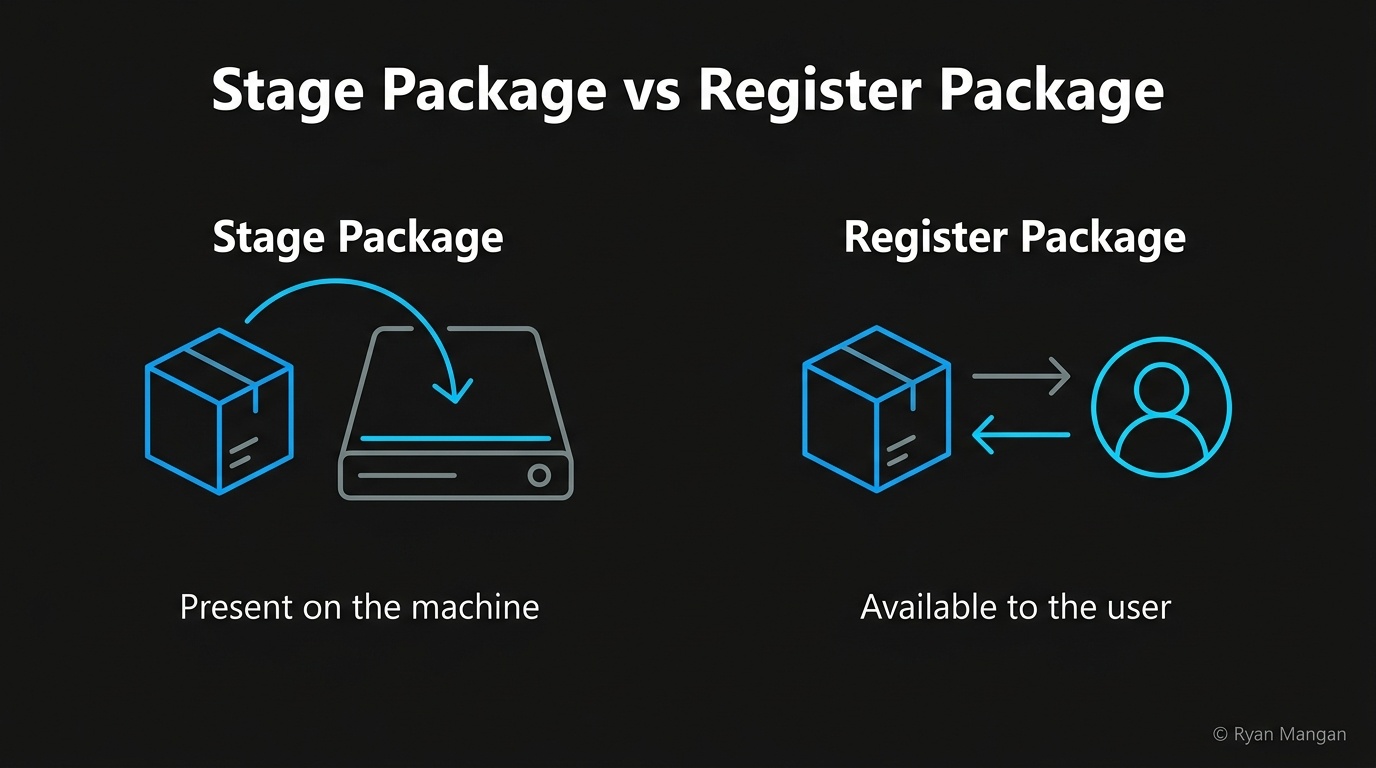
This distinction is important for App Attach, multi-user hosts, provisioning, repair workflows, and pre-staging scenarios. If you only think in terms of "install", you can miss whether the problem is payload presence, user registration, dependency state, or package identity.
PowerShell reflects this split as well. Microsoft Learn documents Add-AppxPackage as adding a signed app package to a user account, and its syntax includes separate -Stage and -Register parameter sets. That is a useful reminder that one familiar command can trigger different deployment behaviours depending on how it is called.
How to apply this in real deployments
1. Do not stack operations against the same package
Treat add, stage, register, repair, move, update, reset, and remove as package-state operations.
If you are automating MSIX deployment, avoid launching several operations against the same package identity without checking completion. For example, do not immediately move or repair a package while an install or update is still in progress.
This is especially important where Microsoft Intune, Configuration Manager, scripts, scheduled remediation, and user-initiated installs can overlap.
2. Design for the tool you use in production
A clean local test is useful, but it does not represent every enterprise condition.
Microsoft Learn documents several supported MSIX delivery routes, including Microsoft Intune, Configuration Manager, App Installer, PowerShell, DISM, and provisioning. Each tool gives you a different user experience and operational workflow, but Windows still processes package deployment work underneath.
For production testing, validate the same path you plan to use in production:
- Required Intune deployment.
- Available Company Portal deployment.
- ConfigMgr application deployment.
- App Installer web flow.
- PowerShell install or repair script.
- DISM or provisioning workflow.
Do not assume that success through one route proves the timing, identity, context, or dependency behaviour of another.
3. Troubleshoot using operation names
Microsoft's Inside MSIX post points out that deployment operations appear throughout deployment logs and telemetry. Microsoft Learn also recommends checking the AppXDeployment-Server event log and using Get-AppxLog when troubleshooting package deployment failures.
When a deployment fails or waits, map the visible action back to the operation model:
- Did the tool try to add the package?
- Was the payload only staged?
- Was registration attempted for the current user?
- Was a remove, repair, move, or reset blocked by package state?
- Were dependencies missing?
- Was another operation already active for the same package?
Useful log locations and commands include:
Get-AppxLog
Get-AppxLog | Out-GridView
In Event Viewer, start with:
Applications and Services Logs > Microsoft > Windows > AppxDeployment-Server
For package open, signing, or format issues, Microsoft Learn also points to:
Applications and Services Logs > Microsoft > Windows > AppxPackagingOM
4. Build a practical deployment checklist
For MSIX deployment planning, I would keep the checklist simple:
- Confirm the package family name and version.
- Confirm the package is signed and trusted on target devices.
- Confirm framework dependencies are available.
- Decide whether the scenario needs staging, registration, or both.
- Avoid overlapping operations against the same package identity.
- Test install, update, repair, uninstall, and re-registration paths.
- Read deployment logs using operation names, not just tool names.
- Validate the same management tool and context used in production.
This is where Microsoft's queue model is useful. It gives you a better mental model for why something can be accepted, queued, throttled, blocked, or delayed without treating every wait as a failure.
Bottom line
MSIX deployment is not just a command being executed. It is a request-driven system.
Windows receives a request, maps it to a deployment operation, places it into a priority queue, and processes it according to package state and concurrency rules. That architecture is deliberate. It lets Windows protect consistency while still allowing parallel work where it is safe.
For anyone packaging, deploying, or supporting MSIX applications, the practical lesson is simple: look past the tool that launched the action and ask what operation Windows is actually processing.
Is it adding, staging, registering, repairing, moving, provisioning, resetting, or removing a package? Is it waiting for package state, staging capacity, dependency resolution, or another operation in the queue?
Answer those questions and MSIX deployment behaviour becomes much easier to explain.
References
- Deployment Operations, Requests and Queue - Inside MSIX
- What is MSIX?
- PackageManager.StagePackageAsync method
- PackageManager.RegisterPackageAsync method
- PackageManager.MovePackageToVolumeAsync method
- Add-AppxPackage
- MSIX App Distribution
- MSIX deployment troubleshooting
- Troubleshooting packaging, deployment, and query of Windows apps
Frequently asked questions
Why does an MSIX deployment get accepted but not start immediately?
Because the request is queued, not run on arrival. Windows places every deployment request in an in-memory priority queue and starts it only when package state and concurrency rules allow. If a repair is already running against that package, a move request is accepted and held until the repair completes. That is controlled sequencing, not a fault.
What is the difference between staging and registering an MSIX package?
Staging extracts the package payload to %ProgramFiles%\WindowsApps without registering it, so the payload is present on the machine. Registration connects the package and its dependencies to a user context so that user can run it. Pre-staging, App Attach and multi-user hosts depend on the distinction.
Where do you find MSIX deployment logs?
Run Get-AppxLog in PowerShell, or open Event Viewer at Applications and Services Logs > Microsoft > Windows > AppxDeployment-Server. For package open, signing or format problems, look instead at AppxPackagingOM. Read the entries by operation name rather than by the tool that triggered the action.
Can you run several MSIX operations against the same package at once?
You can submit them, but you should not. Treat add, stage, register, repair, move, update, reset and remove as package-state operations and check completion before launching the next one. This matters most where Intune, Configuration Manager, scripts, scheduled remediation and user-initiated installs can overlap on the same package identity.