Registry fix for vCenter Server 5.1 failing to start on Windows Server 2012, by removing ProtectedStorage from the DependOnService value under HKLM CurrentControlSet Services vpxd and rebooting the host.
Categories
VirtualisationVmwareWindows Server 2012
Tags
DependonserviceProtectedstorageServersVcenterVirtual MachineVmware EsxVmware Vsphere
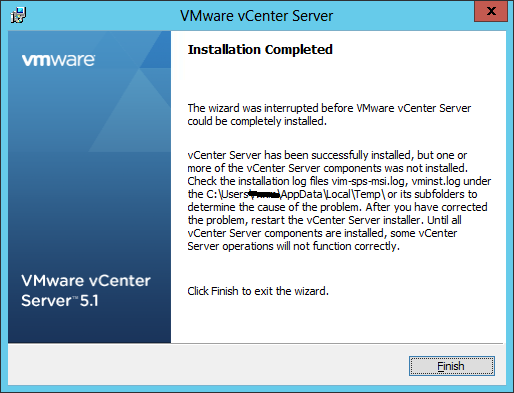
After installing Vcenter on a server 2012 I received the following message:
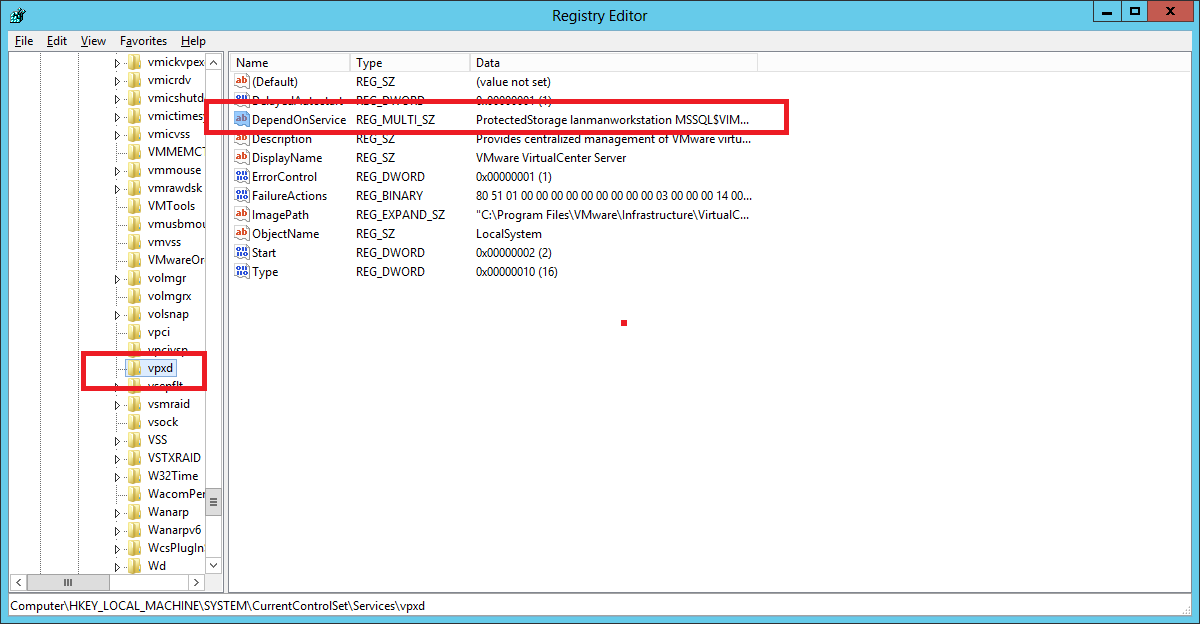
To fix this you will need to edit the registry:
\System\CurrentControlSet\Services\vpxd and the Open the DependOnService key and remove ProtectedStorage from the list
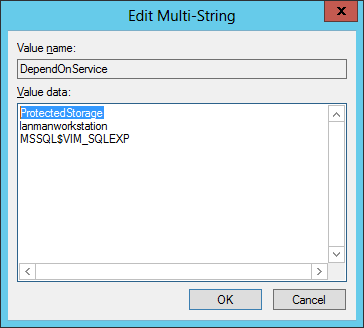
Remove the ProtectedStorage from the list , click ok and exit out of the registry.
Reboot the server and Vcenter should start.