Just a quick post to show you how to redirect HTTP (port 80) traffic to HTTPS (port 443) when load balancing RDS 2012 RDWEB.
Categories
Kemp TechMicrosoftRds 2012
Tags
HttpHttp SecureHypertext Transfer ProtocolKempLoad BalancingProxying And FilteringRemote Desktop Services 2012Web PortalWebsite
Just a quick post to show you how to redirect HTTP (port 80) traffic to HTTPS (port 443) when load balancing RDS 2012 RDWEB.
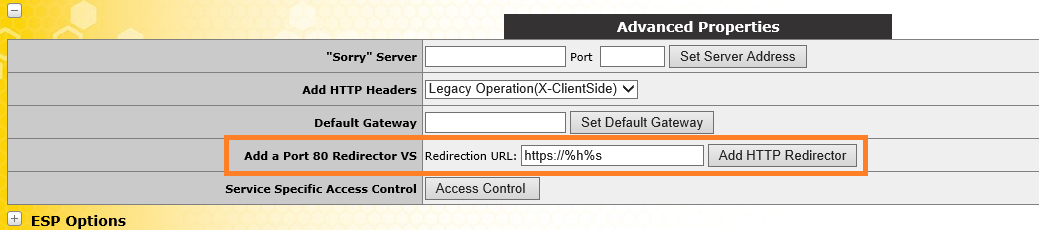
Very simple to configure, click the "Add HTTP Redirector" and your done.