To configure a RD Gateway Farm, you would need to install the Gateway server Role on two or more servers.
Categories
MicrosoftRds 2012
Tags
Connection BrokerGatewayGateway FarmGateway ServersRemote Desktop ServicesServerServer Farm
To configure a RD Gateway Farm, you would need to install the Gateway server Role on two or more servers.
Once you have installed the Gateway role you would then need to export the policies from the first server and import them into the newly created.
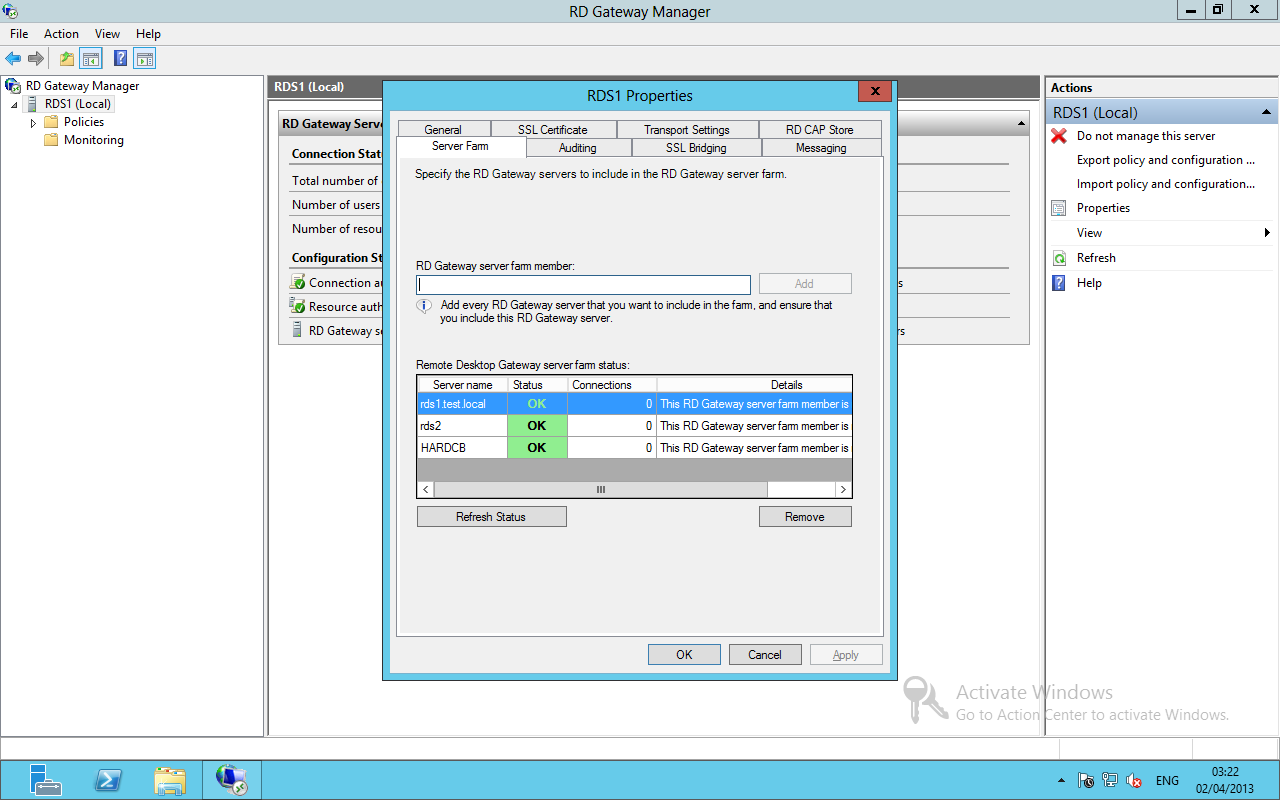
Open the RD Gateway Manager, then open the Server properties. Under the server Farm Tab add all the Gateway servers including the Farm name. In this example we use:
Server 1: RDS1.test.local
Server 2: RDS2.test.local
Farm Name: HARDCB.test.local.
This needs to be completed on all RD Gateway servers.
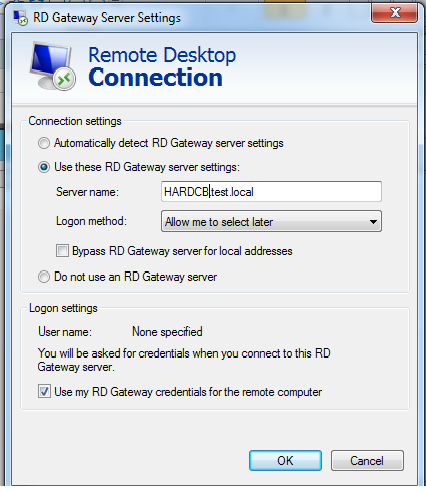
Test the Farm using MSTSC: