Windows 365 still uses images, but the right operating model is usually gallery-first and Intune-led.
Windows 365 absolutely still uses images. The difference is that image management is no longer the center of the operating model in the way it was for classic VDI. Microsoft gives you regularly updated gallery images in Intune, and you can also upload custom device images when your application estate or configuration requirements justify it.
That distinction matters because many teams carry over a "gold image first" mindset from older desktop virtualization platforms. In Windows 365, that often creates more operational drag than value.
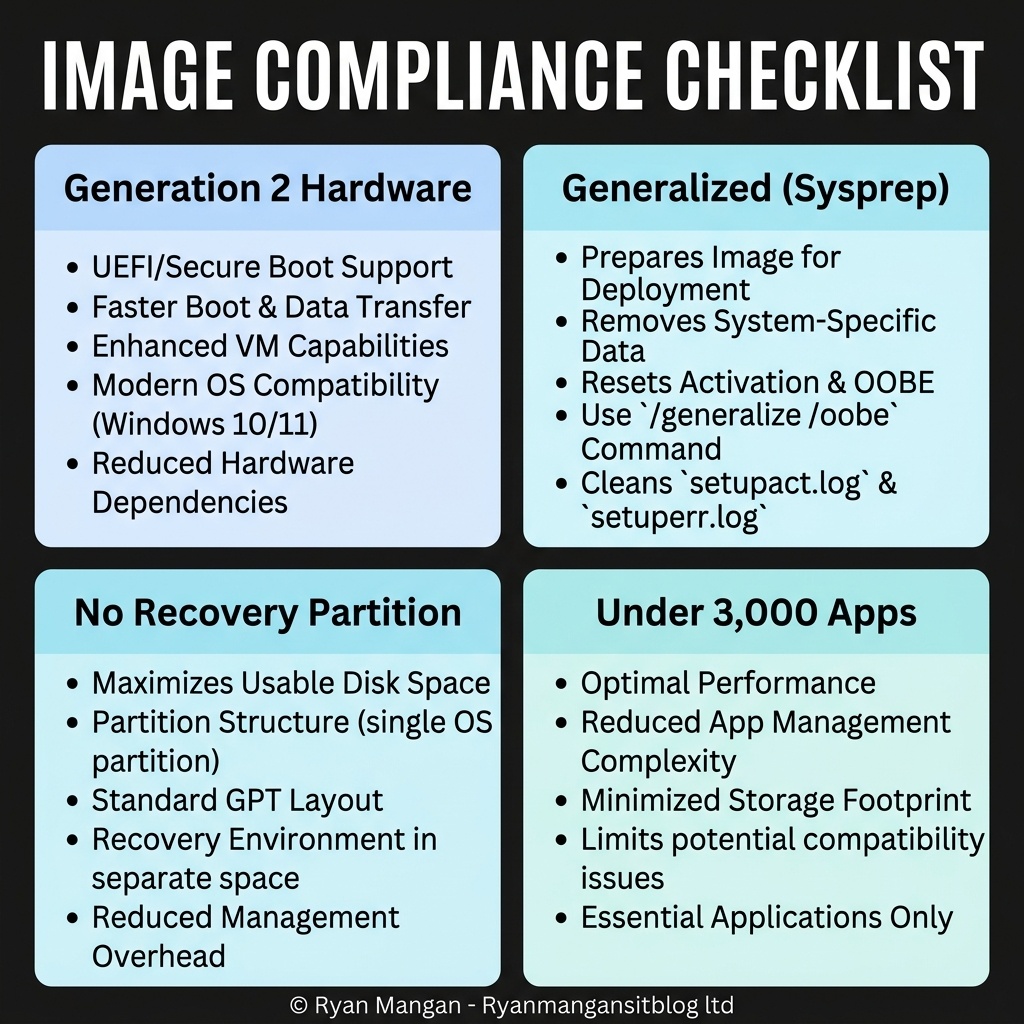
What Windows 365 supports
Windows 365 supports two image paths:
- Microsoft gallery images exposed through the provisioning policy workflow in Intune.
- Custom device images that you prepare, generalize, and upload.
For most organizations, the gallery images should be the default starting point. They are updated on a monthly cadence, they are already aligned to supported Windows 365 requirements, and they reduce the amount of image engineering you have to own.
Custom images are still useful, but they come with constraints. They must be generalized, use supported Windows Enterprise editions, and meet Windows 365 image requirements such as single-session support and Generation 2 format. That means custom images are not a free-form escape hatch for every legacy habit.
Where gallery images are the better choice
Gallery images are usually the right answer when:
- Your applications can be delivered through Intune.
- Your device configuration can be expressed through policy.
- You want to stay close to Microsoft's supported baseline.
- You want to reduce the time spent rebuilding and validating images.
In other words, if your requirement is "standard Windows build plus modern management," start with the gallery image and layer applications, settings, and security controls through Intune. That is the simplest and most supportable operating model.
When a custom image is justified
A custom image becomes reasonable when you have one or more of these conditions:
- Large application payloads that make post-provisioning too slow.
- Complex middleware or agent requirements that need to exist before user sign-in.
- Legacy applications that are difficult to deploy dynamically.
- Controlled build standards that must be baked into the base image.
Even then, the goal should be to keep the custom image as thin as possible. A custom image should solve a specific problem, not become a dumping ground for every application and policy in the environment.
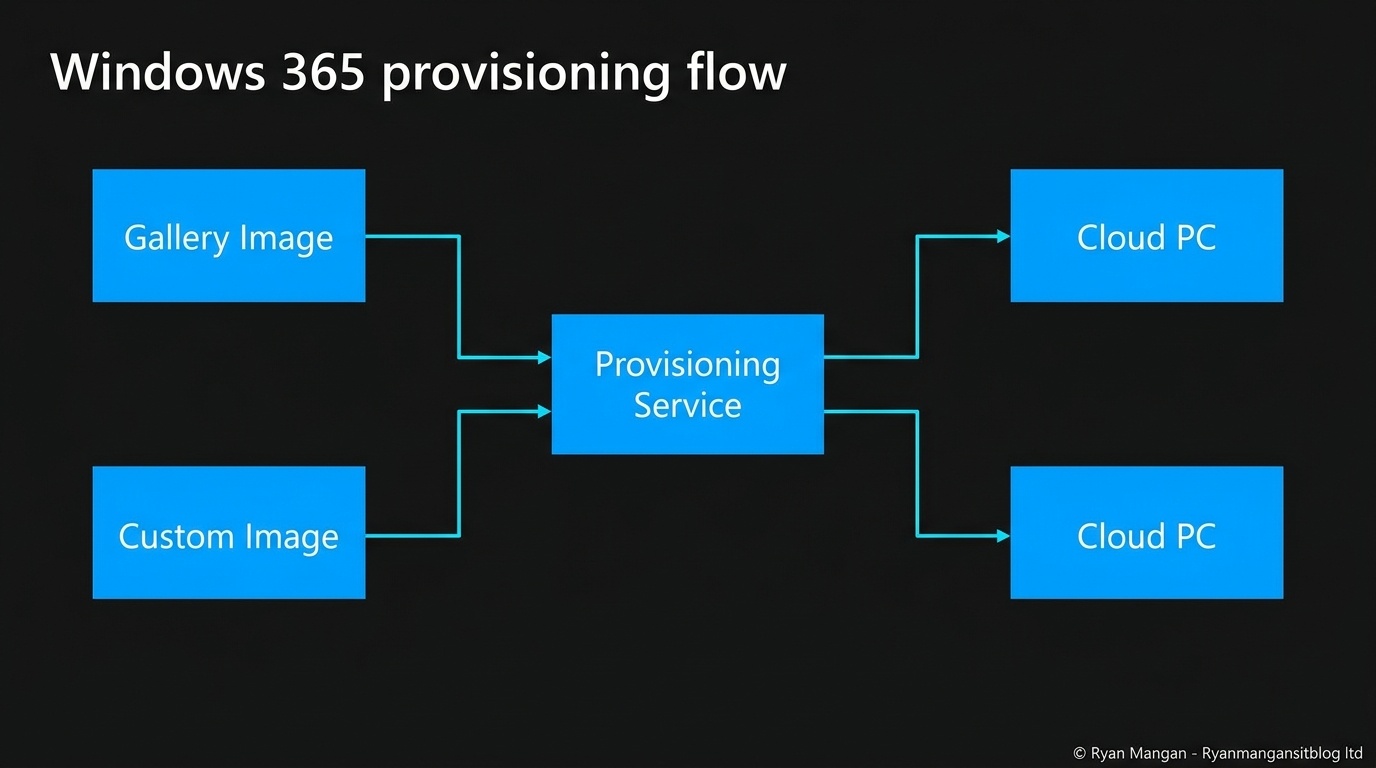
The practical shift from VDI thinking
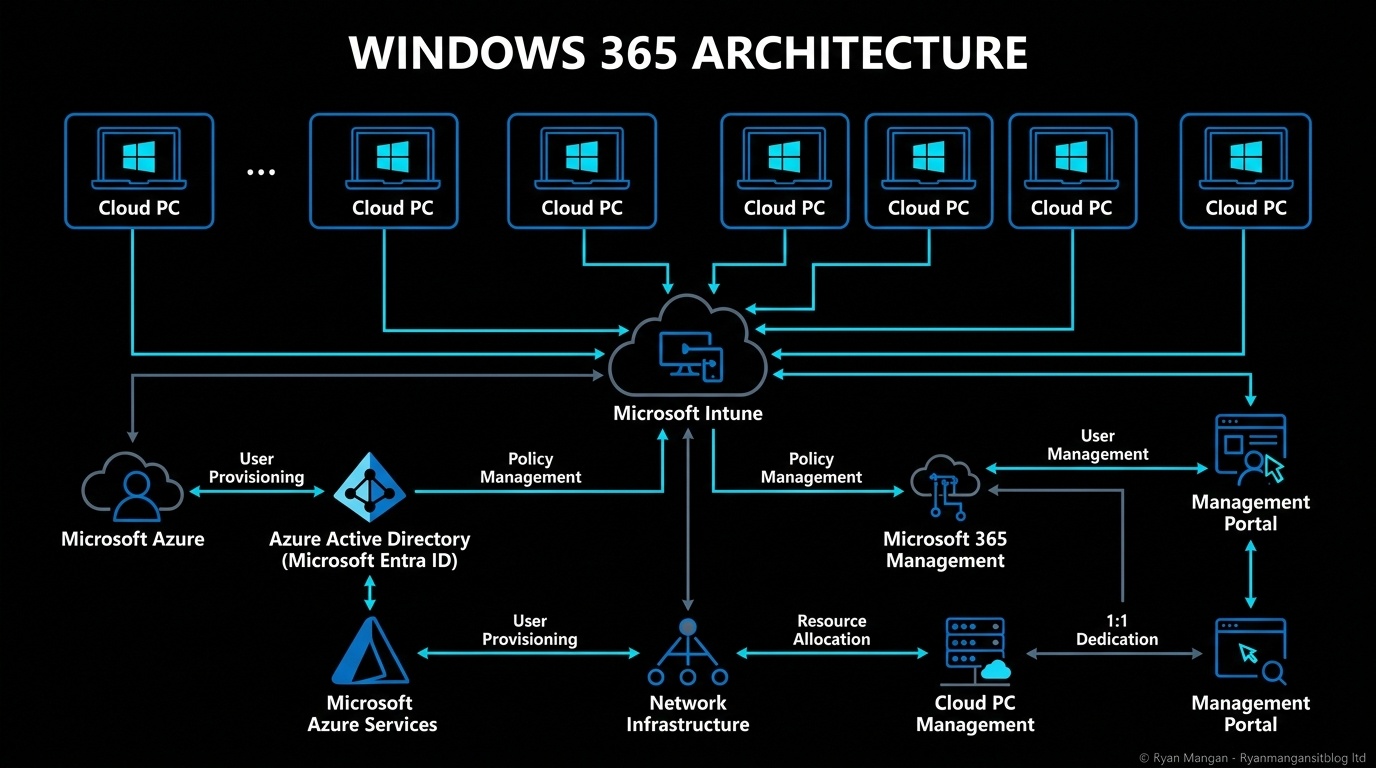
The old VDI approach was often image-heavy because the image carried the platform. In Windows 365, Intune carries far more of that responsibility. That lets you move from image management to endpoint management.
That does not eliminate images. It just changes their job:
- The base image should define the starting state.
- Intune should define the living state.
- Reprovisioning should be part of the support model.
If you structure things that way, the image stops being a bottleneck and becomes just one controlled input into the Cloud PC lifecycle.
Bottom line
The question is not whether images still matter in Windows 365. They do. The real question is whether you should still build your whole desktop strategy around them.
For most environments, the answer is no. Use gallery images by default, use custom images only when they solve a clear requirement, and let Intune do the heavy lifting for apps, settings, and security.