Windows 365 security works best when identity, device, and data controls are designed together.

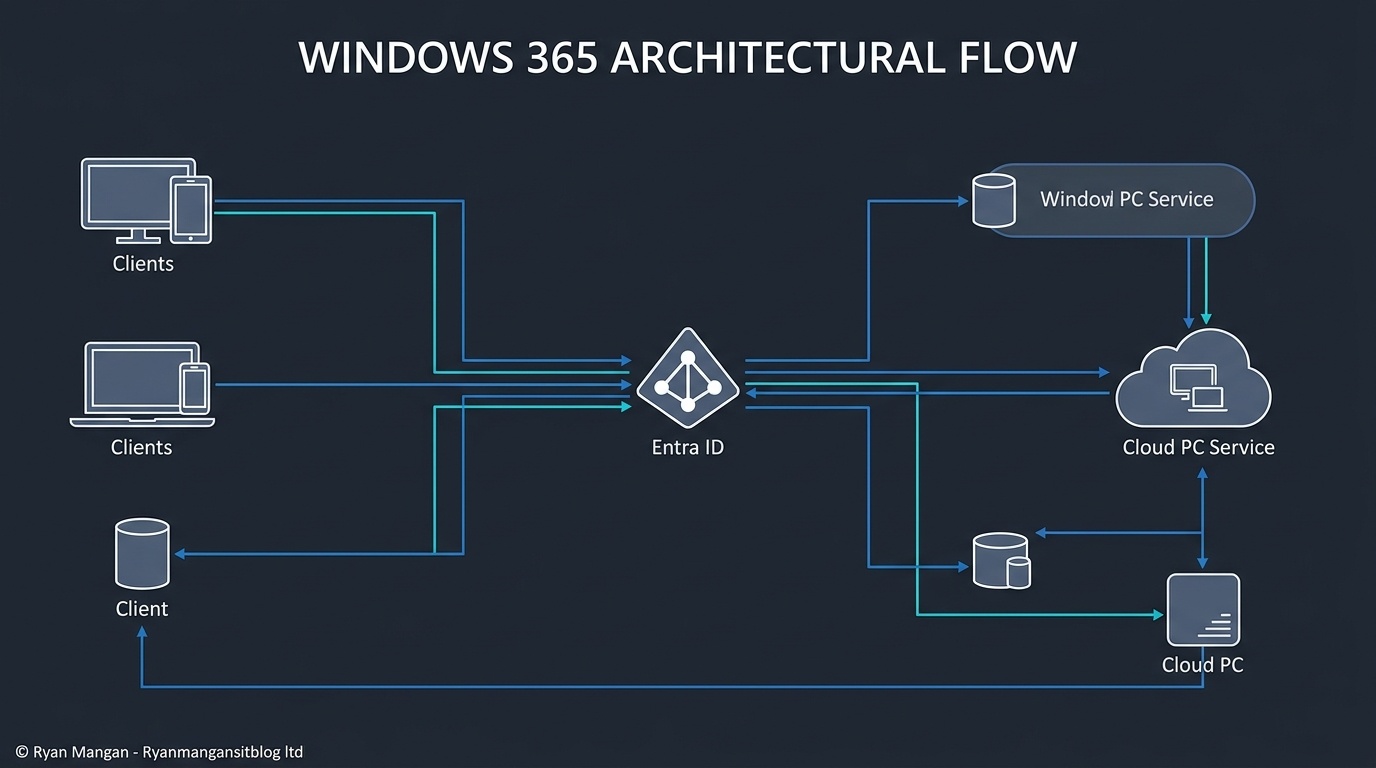
Windows 365 is easiest to secure when you stop thinking about it as "just a hosted desktop" and start treating it as a managed endpoint delivered through a Microsoft cloud service. That distinction matters because the security model spans both the service plane and the Cloud PC itself.
Microsoft frames Windows 365 around Zero Trust, and in practice that means you should design controls across three layers: access, device, and data.
Start with access
There are effectively two access challenges in Windows 365:
- Access to the Windows 365 service.
- Access to the Cloud PC session.
That makes Microsoft Entra Conditional Access one of the most important controls in the design. If you want to improve security posture quickly, start by deciding:
- Which users can sign in.
- From which devices.
- Under which conditions.
- With which authentication strength.
For most organizations, that means MFA, Conditional Access, and device compliance should be part of the default baseline before wider rollout.
Treat the Cloud PC like an endpoint
The Cloud PC is still a Windows endpoint. It needs policy, patching, application control, and monitoring just like a physical PC.
That is one of the strengths of the platform: Cloud PCs are managed through Intune alongside the rest of the device estate. You do not need a separate security operating model just because the desktop runs in Azure.
At a minimum, the design should cover:
- Update policy.
- Endpoint protection.
- Compliance policy.
- Local admin control.
- Device configuration baselines.
If you already have a mature Intune security baseline for physical Windows devices, Windows 365 lets you carry much of that model forward.
Focus on data movement, not just sign-in
A secure sign-in flow is only the first step. The next question is how data is allowed to move in and out of the Cloud PC.
That is where many environments stay too permissive by default. Clipboard, drive, printer, USB, and browser behaviors all affect data exposure. The right settings depend on the use case, but the principle is straightforward: decide intentionally which redirections and transfer paths are allowed.
For higher-risk scenarios, reducing or disabling unnecessary redirections can materially improve the security boundary around the Cloud PC.
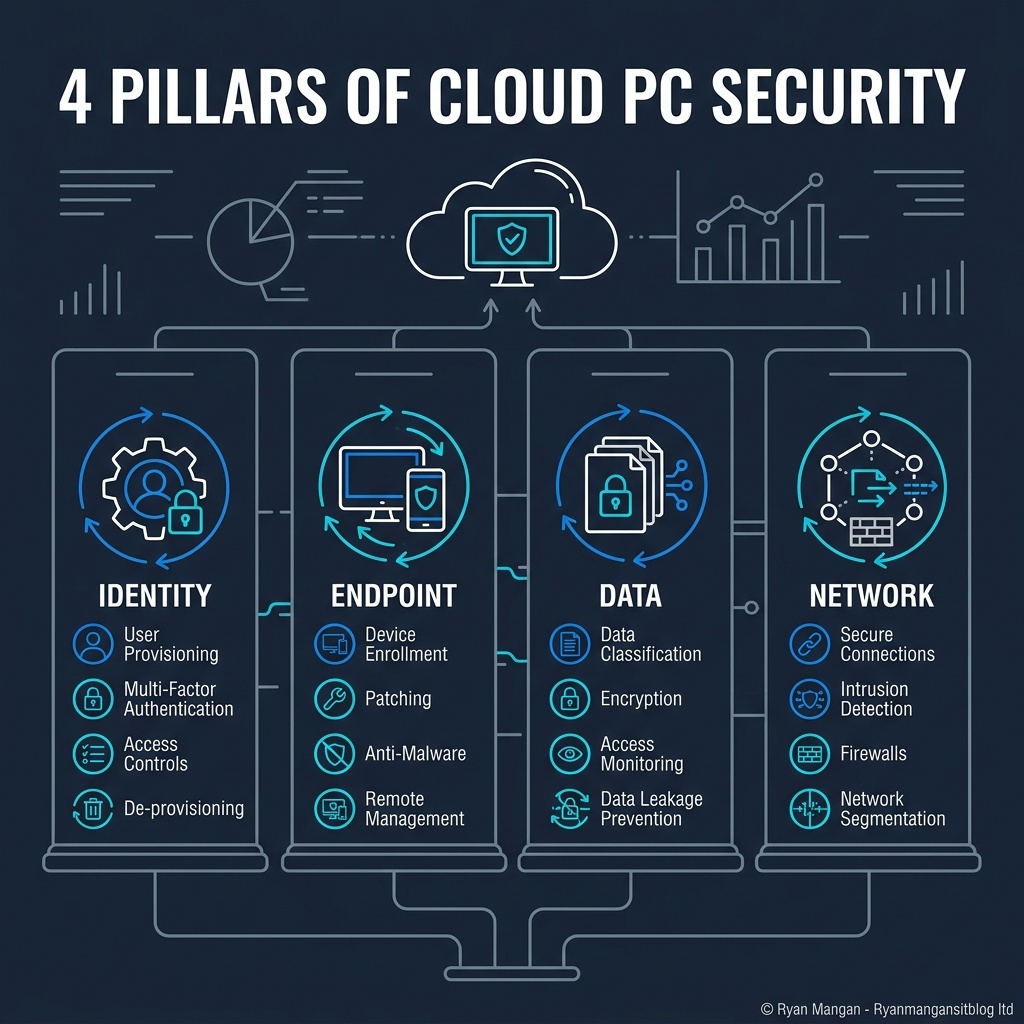
Use Windows 365 as part of a wider security pattern
Windows 365 is not a standalone security answer. It is a delivery model that works best when paired with the rest of the Microsoft security stack and a coherent operating model.
That usually means combining:
- Entra ID for identity and Conditional Access.
- Intune for device configuration and compliance.
- Defender for endpoint protection.
- Data controls such as sensitivity, DLP, or browser/session controls where needed.
The more important point is consistency. If the Cloud PC is governed differently from the physical PC estate without a clear reason, you create policy gaps and support confusion.
Bottom line
The strongest Windows 365 deployments are not the ones with the most security features turned on. They are the ones where identity, endpoint, and data controls have been designed together.
Secure the sign-in path, manage the Cloud PC like a real endpoint, and be explicit about data movement. That is where the architecture becomes defensible.